

Microinteractions in Mobile Apps: Enhancing User Engagement

Microinteractions in Mobile Apps: Enhancing User Engagement

In today’s fast-paced digital world, user experience (UX) is a critical factor in determining the success of a mobile app. One often-overlooked yet powerful UX element is microinteractions. These small, functional animations and feedback loops play a significant role in enhancing user engagement, guiding users, and making apps feel more intuitive and enjoyable.

What Are Microinteractions?

Microinteractions are subtle design elements that respond to user actions, providing instant feedback and improving usability. They are present in almost every app interaction, from the swipe-to-refresh action on social media feeds to the typing indicator in messaging apps. Microinteractions make interactions seamless, helping users understand app functions effortlessly.

Key Components of Microinteractions

  1. Trigger: This initiates the microinteraction, such as a button press, swipe, or system event.
  2. Rules: Define what happens when the trigger is activated.
  3. Feedback: Provides visual, auditory, or haptic response to indicate the result of an action.
  4. Loops & Modes: Determine whether the interaction repeats or changes over time.

The Impact of Microinteractions on User Engagement

1. Enhancing User Experience

Microinteractions create a more fluid and natural user experience by offering instant feedback. For example, a heart animation when liking a post on Instagram provides immediate gratification, reinforcing engagement.

2. Guiding Users Through the App

Well-designed microinteractions act as visual cues that guide users, making navigation more intuitive. A progress bar, for example, indicates loading times or the completion status of a task.

3. Boosting User Retention

Apps that feel engaging and responsive keep users coming back. Microinteractions add delight to the experience, making users more likely to continue using an app.

4. Reducing User Frustration

Microinteractions provide instant feedback, ensuring users know their actions are recognized. A shaking password field when incorrect credentials are entered, for instance, helps users quickly realize their mistake.

5. Encouraging User Actions

By making interactions fun and rewarding, microinteractions can encourage users to complete desired actions. Gamification elements, such as confetti animations upon completing a task, make the app feel more engaging.

Best Practices for Implementing Microinteractions

1. Keep Them Subtle

Microinteractions should enhance the experience without overwhelming the user. Avoid excessive animations or distractions.

2. Ensure Functional Relevance

Every microinteraction should serve a purpose. If it doesn’t improve usability or engagement, it may not be necessary.

3. Maintain Consistency

Use a consistent design language throughout the app. Repetitive but cohesive microinteractions help establish familiarity and build trust.

4. Test for Performance

Ensure that microinteractions do not slow down the app’s performance. Overuse of animations may impact loading times and responsiveness.

Conclusion

Microinteractions are a crucial yet often understated aspect of mobile app UX design in New York . They help bridge the gap between users and technology, making interactions feel natural, engaging, and satisfying. By strategically integrating microinteractions, developers can significantly enhance user engagement, retention, and overall app experience.

Are you looking to improve your mobile app’s user experience? Implementing microinteractions effectively could be the game-changer your app needs!

Contact Winklix today – the leading mobile app development company in New York .

Salesforce Mobile App Customization: Key Features for Enterprises

Salesforce Mobile App Customization: Key Features for Enterprises

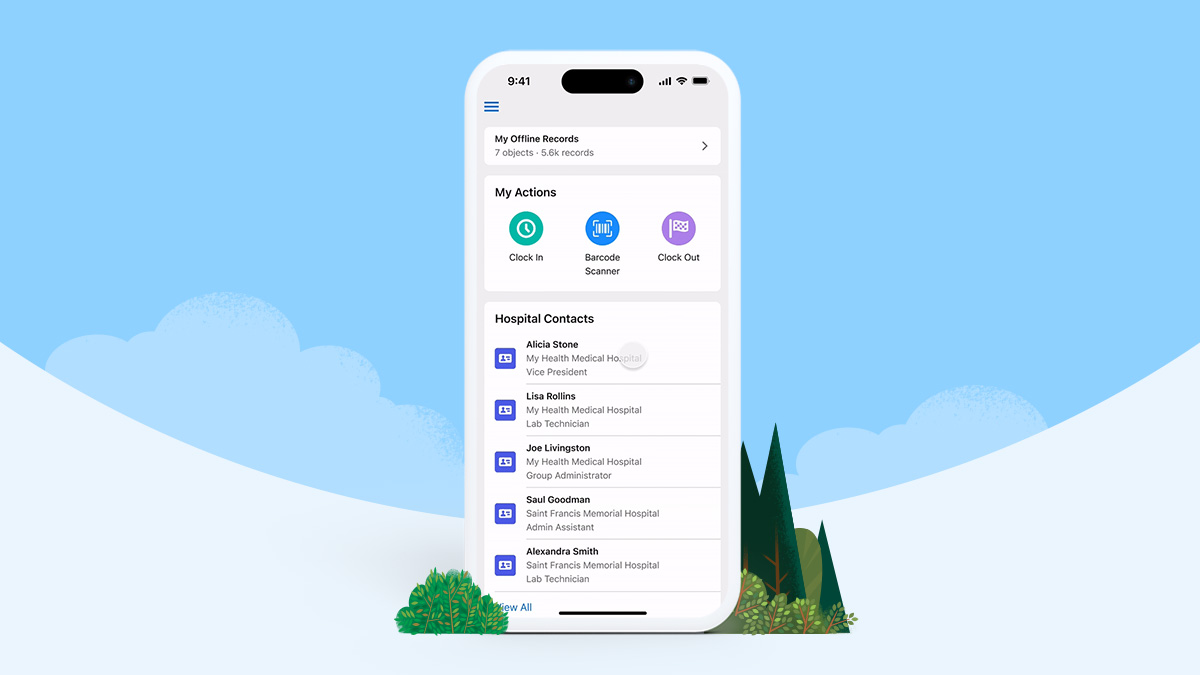
In today’s fast-paced business world, enterprises rely on robust tools to streamline operations and enhance customer experiences. The Salesforce mobile app stands out as a powerful solution, enabling businesses to stay connected and productive on the go. But to unlock its full potential, customization is key. Tailoring the app to your business needs can boost productivity, improve collaboration, and provide a seamless user experience. Here, we’ll dive into the essential features of Salesforce mobile app customization and why partnering with the right app development company in New York can make all the difference.

Why Customize the Salesforce Mobile App?

Every enterprise has unique workflows, goals, and challenges. Off-the-shelf solutions often fall short of addressing specific business needs. Customizing the Salesforce mobile app allows you to:

  1. Enhance User Experience: Personalize dashboards, layouts, and navigation to suit user roles and preferences.
  2. Streamline Workflows: Automate repetitive tasks and integrate business-specific processes directly into the app.
  3. Boost Productivity: Provide employees with the tools they need, accessible anytime and anywhere.
  4. Improve Data Accessibility: Enable on-the-go access to critical data, ensuring teams can make informed decisions in real-time.

Key Features of Salesforce Mobile App Customization

1. Tailored User Interfaces

Customizing the app’s interface ensures users can navigate it effortlessly. Personalized layouts, color schemes, and simplified menus improve usability and reduce the learning curve for new users.

2. Role-Based Dashboards

Not every employee needs the same data. Custom role-based dashboards ensure each user has access to relevant information. For example, sales teams can view leads and opportunities, while customer service reps can focus on cases and support tickets.

3. Offline Access

In industries where employees work in areas with limited connectivity, offline functionality is crucial. Customized Salesforce mobile apps can enable offline data access and synchronization, ensuring uninterrupted workflows.

4. Integration with Third-Party Tools

Seamlessly integrate the Salesforce mobile app with other tools like ERP systems, project management platforms, or email clients. These integrations save time and eliminate the need to switch between multiple applications.

5. Custom Notifications and Alerts

Custom push notifications and alerts keep employees informed about critical updates, upcoming tasks, or urgent issues. Tailoring these notifications to user roles ensures relevance and reduces information overload.

6. Advanced Security Features

Security is a top priority for enterprises. Customization allows businesses to implement additional layers of security, such as biometric authentication, role-based access controls, and encrypted data storage.

7. Voice and AI Capabilities

Integrate voice commands and AI-powered tools to enhance efficiency. Features like Einstein AI for predictive insights or voice-to-text for note-taking can make a significant difference.

Also Read : Importance of test automation for Mobile Applications

The Role of a Trusted Mobile App Development Company in New York

Customizing the Salesforce mobile app requires expertise in app development and a deep understanding of Salesforce’s ecosystem. Partnering with a leading mobile app development company in New York ensures your customization project is executed seamlessly. Whether you need to integrate complex workflows or design intuitive interfaces, the right app developer in NYC can bring your vision to life.

A reliable app development company in New York will:

  • Analyze your business needs and recommend tailored solutions.
  • Ensure your customized app adheres to best practices for security and scalability.
  • Provide ongoing support to adapt your app as your business evolves.

Why Invest in Customization Now?

With remote work and on-the-go operations becoming the norm, enterprises must equip their teams with tools that foster efficiency and adaptability. A customized Salesforce mobile app not only enhances productivity but also strengthens your competitive edge in today’s dynamic market.

Also read : How mobile app cost can be reduced without compromising on quality ?

Final Thoughts

Salesforce mobile app customization is an investment in your enterprise’s future. By leveraging the expertise of a top-notch app developer in New York, you can create a solution tailored to your unique needs, empowering your teams and driving growth. Ready to take the next step? Partner with a trusted mobile app developer in NYC and transform your Salesforce experience today.

Integrating In-App Advertising Without Compromising UX

Integrating In-App Advertising Without Compromising UX

In-app advertising is a key revenue stream for many mobile applications. However, poorly implemented ads can alienate users, degrade the user experience (UX), and lead to app abandonment. Balancing monetization and user satisfaction is crucial for app success. Here’s how to integrate in-app advertising effectively without compromising the user experience.

1. Understand Your Audience

The foundation of successful in-app advertising lies in knowing your audience. Collect and analyze user data to understand their preferences, behaviors, and demographics. This insight allows you to serve relevant ads that resonate with your users, reducing frustration and improving engagement.

2. Choose the Right Ad Formats

Not all ad formats are created equal. Selecting the appropriate type of ad for your app is critical to maintaining a seamless experience. Common ad formats include:

  • Native Ads: These blend seamlessly with app content and are less intrusive.
  • Rewarded Ads: Users voluntarily watch ads in exchange for in-app rewards, such as extra lives or virtual currency.
  • Interstitial Ads: Full-screen ads that appear at natural transition points, like between game levels.
  • Banner Ads: Persistent ads displayed at the top or bottom of the screen, suitable for non-intrusive advertising.

Each format has its place, so consider your app’s context and user journey when making a choice.

3. Prioritize Ad Relevance

Irrelevant ads disrupt the user experience and are more likely to be ignored or result in negative feedback. Utilize ad networks that support advanced targeting capabilities to deliver personalized ads based on user preferences and behaviors.

4. Maintain Frequency Balance

Excessive ad frequency can lead to user fatigue and frustration. Limit the number of ads displayed per session and avoid interrupting critical app activities. A well-timed, sparingly placed ad is far more effective than bombarding users with ads at every turn.

5. Optimize Ad Placement

Placement matters. Ads should be strategically positioned to avoid interfering with app functionality or user interactions. For instance:

  • Place banner ads in non-interactive zones.
  • Display interstitial ads during natural breaks or transitions.
  • Integrate native ads seamlessly into content feeds.

Thoughtful placement ensures ads complement rather than disrupt the user experience.

6. Test and Iterate

A/B testing is a powerful tool for optimizing in-app advertising. Test different ad formats, placements, and frequencies to determine what works best for your audience. Gather user feedback and analyze metrics like click-through rates (CTR) and retention rates to refine your ad strategy.

7. Ensure Fast Loading Times

Slow-loading ads can frustrate users and lead to app uninstalls. Work with ad networks that prioritize performance and optimize your app’s code to ensure ads load quickly and don’t negatively impact app performance.

8. Offer an Ad-Free Option

For users who prefer an uninterrupted experience, consider offering a premium, ad-free version of your app. This not only caters to user preferences but also provides an alternative revenue stream.

9. Comply with Privacy Regulations

Adhering to privacy laws such as GDPR and CCPA is non-negotiable. Clearly communicate how user data is collected and used for advertising purposes. Provide users with opt-out options to build trust and maintain transparency.

Conclusion

Integrating in-app advertising without compromising mobile app UX is a delicate balance, but it’s achievable with thoughtful planning and execution. By understanding your audience, selecting appropriate ad formats, maintaining relevance, and prioritizing user satisfaction, you can create a sustainable monetization strategy that benefits both your users and your business.

Remember, a positive user experience is the cornerstone of any successful app. Treat your users with respect, and they’ll reward you with engagement and loyalty—even in the presence of ads.