

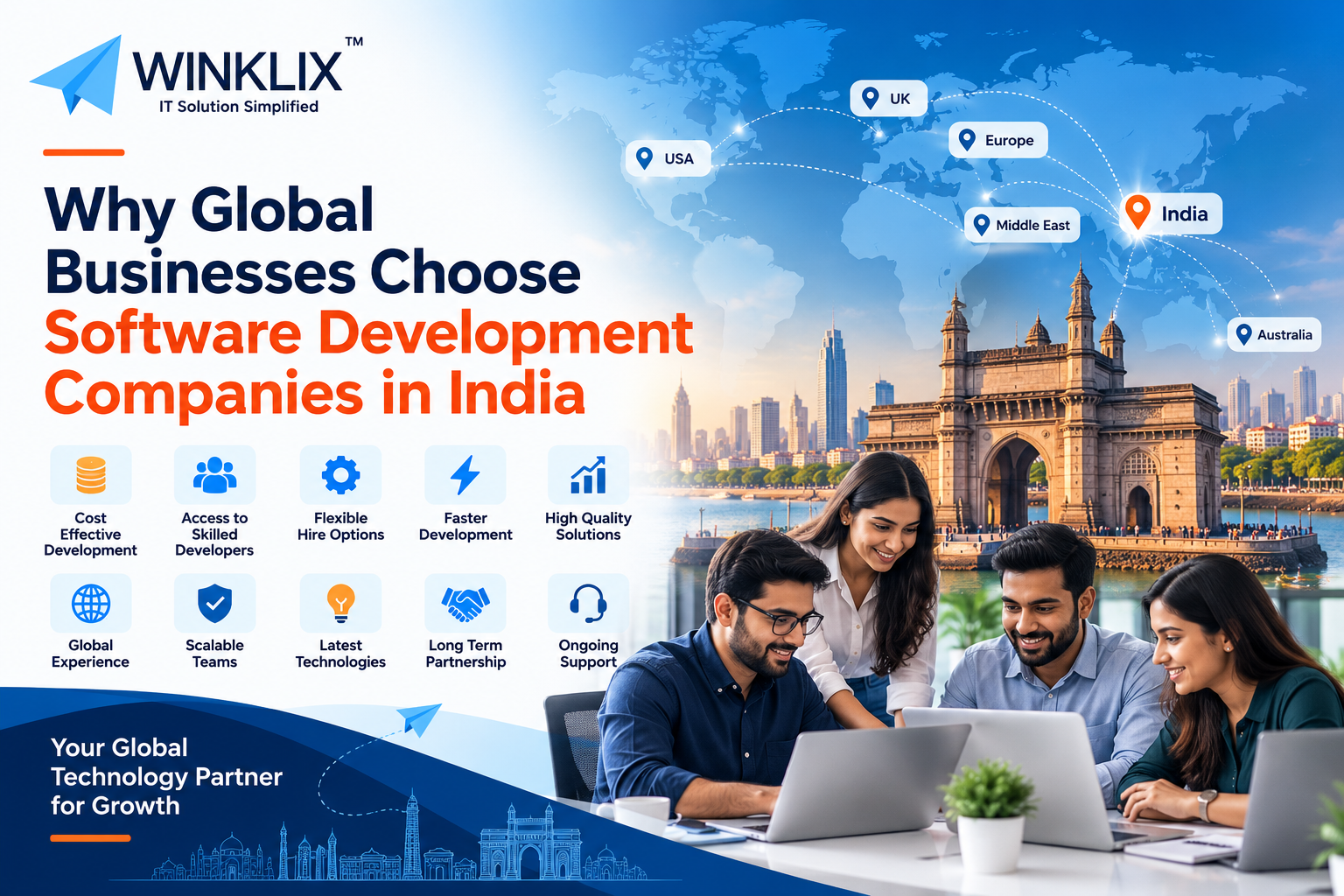
Software development has become a fundamental aspect of any business. Whether you’re looking to build a new mobile application, automate internal processes, build an enterprise platform or implement AI, having the right partner for your software development can make a huge difference.
However, finding experienced software developers can be difficult.
Global businesses in the United States, United Kingdom, Australia, Europe & the Middle East often face issues with high recruitment costs, limited specialist candidates, lengthy hiring processes & increased technology needs.
Many organisations are turning to software development companies in India.
India has become a huge hub for providing IT services, bespoke software development, enterprise technology and offshore development.
According to the Reserve Bank of India’s survey for 2025/26, India exported software services (excluding foreign commercial presence) worth approximately US$221.4 billion with an increase in sales of 8.2% year on year.
Track RBI
This shows just how big the tech industry is in India.
At Winklix, we can help global businesses with bespoke software development, mobile app development, AI development, cloud computing, enterprise apps & dedicated software development.
In this blog, we’ll explain why global businesses choose software development companies in India, the benefits of using offshore development companies & how to choose the right technology partner.
1. India Is A Global Software Development Hub
India has become a huge player in the global technology industry.
With a large number of software development companies, IT professionals, technology institutions, start-ups, and enterprise technology providers.
Major cities like Bengaluru, Hyderabad, Pune and Chennai, provide a wealth of technology services.
You’ll be able to find development teams that can help build anything from simple websites to advanced enterprise apps.
Indian technology companies can work with customers from across the globe in a variety of industries including Healthcare, Banking, Retail, Manufacturing, Logistics, Education & Professional Services.
The industry has lots of experience working with global businesses.
Many Indian software development teams have experience of working across time zones, managing remote projects & building solutions for customers outside of India.
This makes them a great option for businesses looking for reliable development.
2. Cost Effective Software Development
One of the main reasons that global companies outsource their software development to India is due to cost.
Setting up an internal development team can be expensive.
Recruitment costs, staff benefits, office set-up, software licences, management, and training can all add up.
Costs can be high for companies in high cost markets.
However, using a software development company in India can provide more flexible costs.
For example, a start up in the USA looking to build a customer management application may find that using an Indian development team provides a practical option.
However, lower costs do not always mean better value.
You should look at the quality of their development, technical experience, communication, testing & ongoing support.
A reliable development company should be able to provide clear costs & recommend the best solutions for your requirements.
At Winklix, we always look to understand your business goals & find the right development resources for you.
3. Access To A Large Number Of Skilled Developers
Many software applications today require multiple different technologies.
If you’re looking to build an eCommerce platform you may need Frontend Developers, Backend Developers, Database Developers, UI/UX designers, Cloud Professionals & QA Engineers.
This can be tricky to find within one local market.
India provides a wealth of technology professionals.
Custom Software Developers
Professionals that can develop web applications, SaaS & enterprise platforms using Java, Python, Node.js, .NET, React, Angular & more.
Mobile App Developers
Professionals developing mobile applications using Android, iOS, Flutter, React Native, Kotlin & Swift.
AI & Machine Learning Developers
Developers with experience of Generative AI, large language models, RAG, AI Agents, predictive analytics & automation.
Enterprise & Cloud Developers
Professionals that can work with Salesforce, ServiceNow, SAP, AWS, Microsoft Azure, Google Cloud, DevOps & enterprise.
This means you can build your perfect team.
4. Flexible Hire Options
Every business has different software development needs.
You may only need 2 developers for your MVP whereas a multinational may need a whole team.
Software development companies in India often offer multiple different options.
Fixed price, hourly, monthly dedicated developers & full development teams.
Fixed price can be a good option if you have clearly defined requirements.
Whereas dedicated developers may be a better option if you need ongoing software development or your requirements may change.
For example, if you’re a company in Australia looking to expand your digital services you may need a dedicated backend developer & mobile app developer.
As your project grows you may need more engineers, testers & cloud professionals.
A flexible hire option can help you to easily scale your development.
5. Speed Of Development
Speed of development is very important in a competitive market.
Often businesses will want to get their new products to market quickly, improve their software based on customer feedback & keep things moving.
Using an internal development team can be slow to set up, especially if you need someone with specialist skills.
Using an established software development company can help you find the right people quickly.
Many development teams in India will use Agile methods.
This means you can review features & provide feedback as development occurs.
However, speed should never come at the cost of testing, security & reliability.
A professional development partner should be able to provide realistic timeframes based on the complexity of the project.
6. Time Zone Benefits
India can provide some great benefits to global businesses.
Your development team may be able to complete some tasks whilst your North American team are not in the office.
This can help you have a structured development process.
However, time zones can cause issues.
UK & European companies will not have the same time zone benefits as companies on the West coast of the USA.
Australian companies may find it easier.
To have a successful offshore development project you’ll need to agree on the right time overlap, regular meetings, response times & project updates.
At Winklix, we know that communication should be based around your business hours.
7. Excellent Experience With Bespoke Software Development
Very rarely will businesses have the same requirements.
For example, a healthcare provider may need appointment management, patient engagement & secure information handling.
A logistics company may need shipment tracking, route management & dashboards.
A financial services organisation may need customer onboarding, approvals & enterprise integrations.
Sometimes off the shelf software can be used to provide what you need however this may not be flexible enough.
Bespoke software development can help you create applications to fit your processes.
Indian software development companies can provide many bespoke application projects including CRM, ERP, SaaS, eCommerce & automation.
The most important thing to remember is to find developers that understand your problem.
A well designed bespoke application should be easy to maintain, secure & can be improved in the future.
8. Increasing Experience With AI
AI is changing what businesses expect from their software.
Many organisations are looking to build intelligent applications that can understand documents, answer customer questions, automate processes & help with decision making.
Indian technology providers have increased their offering to include AI engineering, Generative AI, Machine Learning & enterprise automation.
Common AI development projects include intelligent chatbots, knowledge assistants, AI searching, document handling, recommendation engines & predictive analytics.
For example, a professional services company in the UK may want an AI assistant to search through approved company documents.
A retail company in the USA may want to implement AI into their customer support or recommendations.
These solutions will require data handling, model integration, backend development, testing & security.
At Winklix we have AI development capabilities that compliment our bespoke software & enterprise technology services.
9. Software Development For Many Industries
One of the reasons that global businesses choose India is because there are technology providers for many industries.
Healthcare – Appointment management, administration, patient engagement & healthcare processes.
Banking & Financial Services – Secure customer portals, dashboards, document handling & workflows.
Retail & eCommerce – Online shopping, inventory, mobile shopping & customer loyalty.
Manufacturing – Custom software to help with production data, inventory, quality & reporting.
Logistics – Delivery tracking, warehouse, fleet & shipment.
Real Estate – Property management, customer relationship, property listings & mobile.
Having someone with experience in your industry can help the development partner understand your requirements & anticipate any issues.
10. Up To Date Development Methods
When working with an offshore development team it is important to have clear processes in place.
Without good communication & planning your project may suffer from confusion, delays & extra work.
Professional software development companies often have a structured project management process.
Using Agile you can break down complex projects into smaller chunks.
Regular sprints, demos & planning sessions will help you understand what has been completed.
You can use tools such as Jira, GitHub, Azure DevOps, Trello, Slack & Microsoft Teams.
A reliable development partner should be able to tell you who will be managing your project, how progress will be tracked, how changes will be handled & when deliverables will be reviewed.
Good communication is key when working with an overseas team.
11. Quality Assurance
It is important to ensure the software is of a high quality.
Applications should be reliable, secure & provide a great user experience.
Before entering into an agreement with a development company you should look at their quality assurance process.
They may carry out Functional Testing, Performance Testing, Integration Testing, Compatibility Testing, Security Testing & Regression Testing.
For example, if you’re looking to build an e-commerce platform you would want to test the payment processing, order management, user authentication & reliability.
An enterprise application may need more testing across integrations & large data sets.
Quality assurance should be carried out throughout the development process.
A reliable software development company in India should be able to tell you their testing process & how they track & fix any issues.
12. Data Security
One of the most important considerations when outsourcing software development is data security.
You may need to provide confidential information relating to your operations, customers, software & business processes.
Before starting development you should have clear agreements in place.
This may include Non-Disclosure Agreements, Intellectual Property, secure development, restricted access & source code.
You also need to think about the relevant privacy laws.
For example, businesses in Europe may need to consider GDPR. In the UK you may need to consider UK GDPR.
Healthcare organisations in the USA may have additional requirements.
Just because you’re working with an Indian development team doesn’t mean they will be compliant.
You should look at the relevant contracts, data transfer, security & legal requirements before sharing any sensitive information.
13. Onshore Vs Offshore Development
You should consider the different options available.
Onshore Offshore (India)
Recruitment Internal Often provided by vendor
Infrastructure Usually managed by business May be provided by vendor
Scalability Require extra recruitment Can be scaled via contract
Technical skills Depends on employees hired Access to a variety of specialist teams
Communication Direct communication Remote communication
Control Direct control Depends on contract
Best for Permanent technical resources Flexible & specialist
Neither option will always be the best.
Some organisations prefer to have full internal development teams.
Whilst others benefit from outsourcing some of their projects/technical resources.
A mixed approach can be a good option.
For example, a company in the USA may want to keep product management & software architecture in-house whilst using Indian developers for development & testing.
14. How Much Will It Cost To Develop Software In India?
The cost of software development in India will depend on the technology being used, complexity, experience of the developers, length of the contract & project management.
A simple website or internal application will be cheaper than an enterprise application.
Mobile applications with payment processing, real time tracking, advanced security & AI will be more expensive.
Ask for a detailed breakdown of costs.
Type of Project Main Factors
Business Website Design, CMS & Integrations
Custom Web Application Features, Database & User Roles
Mobile Application Platforms, UI/UX & Backend
Enterprise Software Integrations, Security & Scalability
AI Powered Application Models, Data, Usage & Evaluation
SaaS Platform Multi-Tenant, Billing & Infrastructure
The final cost should reflect how much work is needed.
Don’t just choose the cheapest software development company.
Look at quality, reliability, ease of maintenance & support.
15. Common Issues When Outsourcing To India
Whilst there are benefits to outsourcing you should also be aware of some common issues.
Communication – If requirements are not clearly defined.
Time Zones – If there is no overlap in working hours.
Changing requirements – If requirements change regularly.
Quality – Not all software companies will have the same level of technical skills.
Take care when choosing your developers. Look at their experience, client testimonials, security & contracts.
Intellectual property should be clearly defined.
The best way to reduce these issues is to have clear processes, realistic milestones, regular communication & clear responsibility.
16. How To Choose The Best Software Development Company In India
Choosing the right software development partner is key to ensuring your project is successful.
Start by identifying your requirements, budget, timeline & technical requirements.
Then look at the shortlisted companies & choose those with practical experience.
A good software development company should have technical skills, relevant experience, a structured process, good communication & clear security.
Look at their portfolio & case studies to see if they have worked on similar applications.
Look at the experience of the actual developers.
Ask about how they will manage your project, quality assurance, source code ownership, documentation & post launch support.
Ask for a detailed proposal showing what will be delivered, milestones, payment & responsibilities.
A reliable development partner will want to build a long term relationship.
17. Why Global Businesses Choose Winklix
At Winklix we understand that global businesses need technology partners that have the right technical skills & understand their requirements.
We provide software development & technology consultancy to businesses looking to build bespoke digital solutions, enterprise applications, mobile applications & intelligent automation.
We provide:
Bespoke Software Development
Web Application Development
Android & iOS App Development
Flutter & React Native Development
Artificial Intelligence & Machine Learning
Generative AI & AI Agent Development
Salesforce Consultancy & Development
ServiceNow Consultancy & Implementation
SAP & ERP
Cloud & DevOps
UI/UX
Quality Assurance & Testing
Dedicated Software Developers
We always start by understanding your business goals, current systems & project requirements.
From here we can help identify the right technologies, resources & contract for you.
If you already use enterprise platforms such as Salesforce, ServiceNow & SAP we can help with bespoke integrations & improvements.
Our technical skills mean you can talk to us about many aspects of your digital transformation.
Whether you’re a start up looking to build an MVP or an established enterprise looking to improve your existing applications we can help you find the right solutions.
18. The Future Of Software Development In India
The global software development industry is always evolving.
Businesses are increasingly looking for people with AI, cloud, cyber security, enterprise automation & modern application skills.
AI assisted tools can help engineers with some coding & testing but you will still need experienced professionals to deliver quality software.
Indian software development companies have the opportunity to help global businesses adopt these technologies.
However, clients are becoming more selective.
Price alone may not be enough.
Businesses are increasingly looking for clear communication, specialist skills, reliable processes & technical support.
Those that can provide all of these will be in the best position to build long term relationships.
Conclusion
India is an important location to outsource your software development. With a large number of technology professionals, established IT services, flexible contracts & experience working with global businesses.
Companies in the United States, United Kingdom, Australia, Europe & Middle East can benefit from working with development teams in India if planned correctly.
However, you should choose partners that understand your requirements, provide skilled developers, clear communication, secure processes & reliable support.
At Winklix we can help global businesses with bespoke software development, mobile applications, AI, Salesforce, ServiceNow & enterprise technology.
Whether you’re looking to build a new digital product, hire dedicated software developers or improve your existing system we can help you find the right technologies & contract.
Looking For A Professional Software Development Company In India?
Contact Winklix.
FAQ
Global businesses prefer software development companies in India because of access to skilled developers, competitive development costs, flexible hiring models, and experience delivering international projects. Indian technology companies offer custom software development, AI solutions, cloud services, mobile applications, and enterprise software. Winklix helps businesses across the USA, UK, Australia, Europe, and the Middle East develop scalable software solutions.
The best software development company in India depends on project complexity, technical expertise, industry experience, budget, and delivery requirements. Businesses should evaluate portfolios, client reviews, development methodologies, and post-launch support. Winklix is an option for international businesses seeking custom software development, AI, Salesforce, ServiceNow, and enterprise technology solutions.
3. Why is software development outsourcing to India cost-effective?
Outsourcing software development to India can reduce expenses related to recruitment, office infrastructure, employee benefits, and development team management. Indian software development companies offer flexible hourly, fixed-price, and dedicated-team engagement models. Actual savings depend on technical requirements, project duration, development quality, and ongoing maintenance.
Custom software development costs in India depend on application complexity, technology stack, development hours, integrations, security, and required features. A simple web application generally costs less than a sophisticated SaaS platform or enterprise system. Businesses should request a detailed quotation that includes design, development, testing, deployment, and maintenance.
US businesses can outsource software development to India by identifying their project requirements, shortlisting experienced development companies, reviewing technical capabilities, and selecting an engagement model. Before beginning development, companies should establish contracts covering project scope, intellectual property, confidentiality, milestones, communication, and applicable data protection requirements.
UK companies hire software developers from India to access specialized technical skills, flexible development teams, and potentially lower development costs. Indian companies provide expertise in web applications, mobile development, cloud technologies, AI, Salesforce, and enterprise software. Businesses should also evaluate UK GDPR requirements and appropriate international data transfer safeguards.
Outsourcing software development to India can be secure when appropriate safeguards are implemented. Businesses should establish confidentiality agreements, access controls, secure code repositories, encryption, security testing, and clear intellectual property arrangements. International clients must also review applicable privacy regulations and cross-border data transfer requirements.
Software development companies in India provide custom software development, web applications, Android and iOS development, SaaS platforms, AI and machine learning, cloud computing, ERP systems, CRM integrations, Salesforce development, ServiceNow implementation, DevOps, and quality assurance services. Winklix offers these technology capabilities for businesses with different requirements.
Yes. International businesses can hire dedicated software developers in India through offshore development companies. Developers can work on web applications, mobile apps, cloud platforms, enterprise systems, and AI projects. Dedicated hiring arrangements can provide flexible development capacity without requiring companies to recruit every technical specialist internally.
Offshore software development in India offers access to technical expertise, flexible development resources, potential cost advantages, and experience supporting international clients. Businesses can use offshore teams for product development, application maintenance, enterprise modernization, and specialized technology projects.