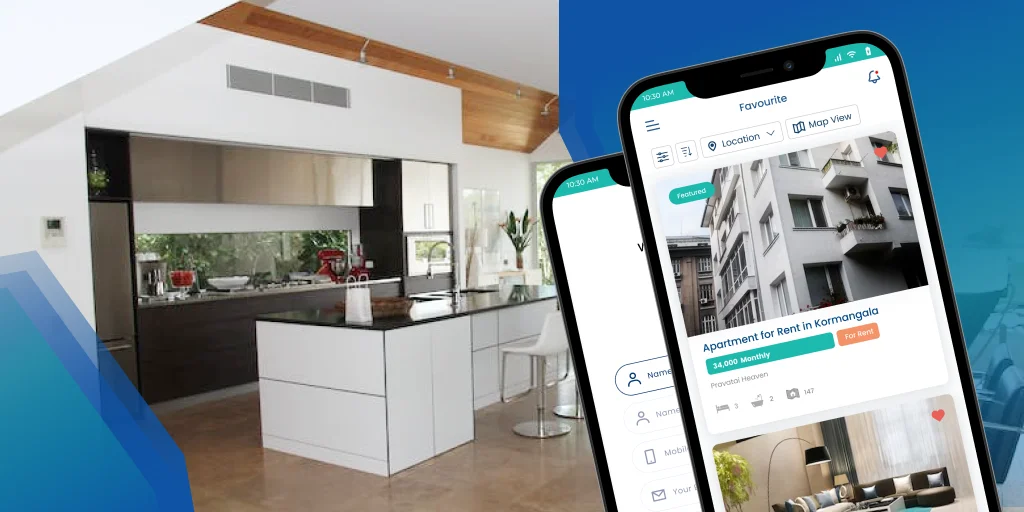
How Much Does It Cost to Develop a Real Estate App? Your Essential Guide

How Much Does It Cost to Develop a Real Estate App? Your Essential Guide

The real estate market is booming, and so is the demand for intuitive, feature-rich real estate applications. From property listings to virtual tours and AI-powered recommendations, these mobile apps have revolutionized how people buy, sell, and rent properties. But if you’re looking to enter this lucrative market, one of the first questions on your mind will undoubtedly be: “How much does it cost to develop a real estate app?”

The answer, as with most custom software development, isn’t a simple fixed number. It’s a spectrum, heavily influenced by a multitude of factors. However, we can provide you with a comprehensive guide to understand the cost drivers and equip you with the knowledge to estimate your budget effectively.

The Broad Stroke: Real Estate App Development Cost Ranges

To give you a general idea, the cost of developing a real estate app can range anywhere from $20,000 for a basic Minimum Viable Product (MVP) to over $250,000+ for a complex, enterprise-level platform with advanced features.

Here’s a quick breakdown based on complexity:

  • Basic MVP App: $20,000 – $50,000 (3-6 months development time)
  • Mid-Level App (Advanced Features): $50,000 – $100,000 (6-9 months development time)
  • Enterprise-Level Custom App: $100,000 – $250,000+ (9-12 months or more development time)

It’s important to remember that these are estimates. Your actual cost will depend on the specific choices you make across various development stages.

Key Factors Influencing Real Estate App Development Cost

Let’s dive deeper into the elements that significantly impact your real estate app development budget:

1. Type of Real Estate App

The nature of your app plays a crucial role. Are you building a:

  • Property Listing App: Focuses on displaying properties, search, and basic communication. (Generally lower cost)
  • Real Estate Marketplace App: Enables buying, selling, and renting with advanced filters, payment integration, and possibly agent profiles. (Mid to high cost)
  • Property Management App: Designed for landlords to manage tenants, rent collection, and maintenance. (Mid to high cost)
  • Agent CRM App: Helps real estate agents manage leads, contacts, and sales tracking. (Mid-level cost)
  • Real Estate Investment App: Allows users to invest in properties, REITs, or crowdfunding projects. (High cost due to financial integrations and security)
  • AI-Powered Real Estate App: Incorporates advanced AI features for personalized recommendations, predictive analytics, or chatbots. (Significantly higher cost)

2. Features and Functionality

This is arguably the most significant cost driver. The more features you want, the higher the cost.

Essential Features (for an MVP):

  • User Registration & Profile Management
  • Property Listings with images and descriptions
  • Search & Filtering Options
  • Map Integration (e.g., Google Maps)
  • Favorites & Wishlist
  • Push Notifications
  • Basic Contact Options (email/phone)

Advanced Features (increase cost significantly):

  • AI-Driven Property Suggestions/Recommendations
  • Augmented Reality (AR) & 3D Virtual Tours
  • Blockchain-Based Secure Transactions
  • Mortgage Calculator & Loan Guidance
  • In-App Messaging/Chatbots
  • Advanced Analytics & Market Insights
  • Property Comparison Tools
  • User Reviews & Ratings
  • MLS (Multiple Listing Service) Integration (often complex and costly)
  • Payment Gateway Integration
  • Admin Panel for managing listings, users, etc.

3. UI/UX Design Complexity

A visually appealing and user-friendly interface is crucial for engagement.

  • Simple Design: Straightforward layouts and standard elements are more cost-effective.
  • Custom & Interactive Design: Unique branding, custom animations, transitions, and highly interactive elements will increase design costs.

4. Platform Choice (iOS, Android, or Both)

  • Single Platform (Native): Developing for either iOS or Android exclusively is generally cheaper than building for both.
  • Cross-Platform Development: Using frameworks like React Native or Flutter allows you to write code once and deploy on both iOS and Android. This can significantly reduce development time and cost, often by 30-50%, while still offering a near-native experience.
  • Native Development for Both: Building separate native apps for iOS and Android offers the best performance and user experience but is the most expensive option.

5. Development Team & Location

Hourly rates for developers vary significantly across regions.

  • North America & Western Europe: High-end rates ($100-$250+ per hour) for premium design and scalability.
  • Eastern Europe: Balanced cost-effectiveness and quality ($40-$100 per hour).
  • Asia (India, Southeast Asia): Most affordable and scalable options ($20-$50 per hour), widely preferred for outsourcing.

The size and expertise of your development team (project manager, UI/UX designers, frontend developers, backend developers, QA testers) also directly impact the overall cost.

6. Third-Party Integrations

Integrating external services like mapping APIs, payment gateways (Stripe, PayPal), CRM tools, or MLS databases adds to the development cost due to API implementation and potential licensing fees.

7. Backend Infrastructure

A robust and scalable backend is essential for handling large volumes of property listings, user data, and transactions. This includes server setup, database design, and data storage. Cloud services (AWS, Google Cloud, Azure) are common choices, and their usage incurs ongoing costs.

8. Quality Assurance (QA) and Testing

Thorough testing is crucial to deliver a bug-free and secure app. This phase includes manual and automated testing, security testing, and performance testing, all of which contribute to the overall cost.

9. Post-Launch Maintenance and Updates

App development doesn’t end at launch. Ongoing costs include:

  • Bug fixes
  • Security updates
  • Compatibility updates with new OS versions
  • Feature enhancements and additions
  • Server and hosting costs

Budgeting 15-20% of the initial development cost annually for maintenance is a good practice.

Optimizing Your Real Estate App Development Budget

  • Start with an MVP: Launching a Minimum Viable Product with core features allows you to test the market, gather user feedback, and iterate before investing in a full-fledged solution.
  • Choose Cross-Platform: If budget is a major concern, cross-platform development can significantly reduce costs.
  • Outsource Strategically: Outsourcing to regions with lower hourly rates can provide significant cost savings, but ensure you choose a reputable development partner.
  • Prioritize Features: Be realistic about what features are truly essential for your initial launch and plan advanced features for later phases.

Conclusion

Developing a real estate app is a significant investment with immense potential for return. By understanding the key cost drivers – from the type and complexity of your app to the features you include, your design choices, development team location, and ongoing maintenance – you can create a realistic budget and make informed decisions. Partnering with an experienced and transparent real estate app development company is crucial to navigate this process efficiently and build a successful platform that stands out in the competitive digital real estate landscape.


The Rise of Generative AI in iOS App Development: Tools, Techniques, and Future Prospects

The Rise of Generative AI in iOS App Development: Tools, Techniques, and Future Prospects

Generative AI (GenAI) is rapidly transforming the landscape of iOS app development, moving beyond simple automation to enable apps that are smarter, more personalized, and incredibly efficient. From conceptualization to deployment, GenAI is reshaping how developers build for Apple’s ecosystem, promising a future where app creation is faster, more innovative, and accessible to a wider range of creators.

The Generative AI Revolution in iOS

Traditionally, iOS app development has been a meticulous process, demanding significant coding, design, and debugging efforts. Generative AI is changing this by automating repetitive tasks, suggesting intelligent solutions, and even creating original content. This shift is empowering developers to focus on higher-level problem-solving and creative endeavors, ultimately leading to richer user experiences.

How Generative AI is making an impact:

  • Accelerated Development Cycles: GenAI tools can generate boilerplate code, API structures, and even entire functions from simple prompts, dramatically reducing development time. This translates to faster prototyping, quicker iterations, and more frequent updates.
  • Hyper-Personalized User Experiences: By analyzing user behavior, preferences, and past interactions, GenAI can dynamically create tailored content, recommendations, and even adapt UI elements in real-time. This level of personalization enhances user engagement and satisfaction.
  • Smarter UI/UX Design: Designers can leverage GenAI to generate multiple layout suggestions, complete with color schemes, fonts, and interaction patterns, from textual descriptions. Some tools even produce production-ready code, bridging the gap between design and development.
  • Automated Testing and Debugging: GenAI can generate unit tests, simulate real-world user interactions, and proactively detect anomalies and bugs. Furthermore, some platforms can even suggest and implement fixes, leading to more reliable apps and fewer user complaints.
  • Lowering the Barrier to Entry: With no-code and low-code platforms integrating GenAI, even individuals with limited technical knowledge can describe their app vision and see it come to life, democratizing app development.

Key Tools and Techniques

The burgeoning ecosystem of GenAI tools is providing iOS developers with unprecedented capabilities:

Tools:

  • Code Generation Assistants: Tools like GitHub Copilot and Amazon CodeWhisperer act as intelligent coding partners, suggesting real-time code snippets, functions, and even entire files based on context.
  • Apple’s Own Frameworks: Core ML allows developers to integrate machine learning models directly into iOS apps, enabling on-device AI capabilities for tasks like image recognition, natural language processing, and predictive analytics, all while prioritizing user privacy. Apple’s increasing focus on on-device AI, particularly with advancements like the Neural Engine, further empowers developers to build high-performance, intelligent applications.
  • Cloud-Based AI Services: Platforms like Google GeminiOpenAI (ChatGPT, DALL-E), and Azure AI offer powerful APIs for tasks such as natural language generation, image creation, and advanced conversational AI, which can be integrated into iOS apps.
  • No-Code/Low-Code Platforms: Platforms like Appy Pie’s AI App Generator allow users to create functional apps from text or speech prompts, significantly simplifying the development process for those without extensive coding backgrounds.
  • Specialized AI Development Environments: Tools like Firebase Studio are emerging as comprehensive cloud-based environments for prototyping, building, and running full-stack AI apps, seamlessly integrating with services like Gemini.

Techniques:

  • Prompt Engineering: Crafting effective and precise prompts is crucial for getting the desired output from generative models, whether it’s for code, text, or images.
  • Fine-tuning Pre-trained Models: Developers can take pre-trained general-purpose GenAI models and fine-tune them with app-specific data to achieve more accurate and relevant results for niche use cases.
  • On-device AI (Edge AI): Leveraging Apple’s Core ML and Neural Engine to run AI models directly on the device enhances performance, reduces latency, and significantly improves user privacy by minimizing reliance on cloud processing.
  • Retrieval-Augmented Generation (RAG): Combining generative AI with real-time data retrieval allows apps to provide more accurate and contextually relevant responses, particularly useful for intelligent agents and chatbots.
  • AI-driven A/B Testing: GenAI can quickly generate different app versions for A/B testing, enabling developers to rapidly identify optimal designs and features.

Future Prospects

The trajectory of Generative AI in iOS app development points towards an incredibly exciting future:

  • Smarter, More Intuitive Interactions: Expect apps that understand user intent with greater nuance, offering truly conversational interfaces and proactive assistance based on predictive analytics. Siri and similar voice assistants will become far more capable.
  • Dynamic and Adaptive Interfaces: UI/UX will move beyond static designs to fluid interfaces that learn and adapt in real-time to individual user behavior, preferences, and even emotional states.
  • Automated Content Creation within Apps: Imagine apps that can generate personalized stories, unique images, or even short video clips for users directly within the application, fostering unprecedented creativity and engagement.
  • Enhanced Developer Productivity: AI will continue to automate more aspects of the development lifecycle, allowing developers to focus on innovative problem-solving and designing unique value propositions. The role of the developer will shift towards managing and orchestrating AI tools.
  • Hyper-Personalized Learning and Healthcare: In educational apps, AI could generate custom learning paths and exercises. In healthcare, it could provide personalized health insights and support based on user data, while adhering to strict privacy protocols.
  • New Business Models and Niche Markets: The reduced cost and accelerated development time empowered by GenAI will enable the creation of highly specialized micro-apps and new business models that were previously unfeasible.

Challenges and Considerations:

Despite the immense promise, integrating GenAI also brings challenges. Data privacy and security remain paramount, especially with on-device processing. Developers must also be mindful of potential biases in AI models and ensure their applications are inclusive and ethically designed. The computational power and expertise required for training advanced GenAI models can also be a hurdle.

Conclusion

Generative AI is not merely an enhancement; it’s a paradigm shift for iOS app development. By offering powerful tools for automation, personalization, and creative generation, it is empowering developers to build applications that are more intelligent, efficient, and deeply engaging. As Apple continues to integrate AI capabilities at the OS and hardware level, the future of iOS apps, shaped by the power of generative AI, promises to be truly revolutionary. The era of the “smart” app is here, and it’s only just beginning.

iOS 26: A Deep Dive into Apple’s Latest iPhone OS (Public Beta Now Available!)

iOS 26: A Deep Dive into Apple's Latest iPhone OS (Public Beta Now Available!)

Apple has once again set the tech world abuzz with the unveiling of iOS 26, the latest iteration of its mobile operating system for iPhones. Announced at WWDC 2025, iOS 26 promises a significant refresh, focusing on a striking new design language, enhanced AI capabilities, and a host of practical improvements that aim to elevate the user experience.

While the full public release is slated for mid-September 2025 alongside the iPhone 17 lineup, the public beta is already available as of July 2025, allowing eager users to get a sneak peek (and help iron out any kinks!).

So, what’s new and noteworthy in iOS 26? Let’s break it down.

The “Liquid Glass” Redesign: A Visual Overhaul

The most immediate and striking change in iOS 26 is the introduction of the “Liquid Glass” design language. This represents the first major visual overhaul since iOS 7, bringing a sleek, contemporary, and highly translucent aesthetic across the entire operating system.

  • Translucent Elements: Expect to see more transparency and blurring effects in widgets, app icons, and even through a new “all-clear mode” that complements the existing light and dark modes.
  • Unified Look: This new design aims for a more uniform and cohesive look across all Apple devices, from iPhone to iPad and macOS (which will also be getting a “26” designation, like macOS 26 Tahoe).
  • Enhanced Customization: The Liquid Glass design also brings new customization options to app icons and widgets, including a “clear” look for a minimalist feel. For those who prefer less transparency, Apple has included an accessibility setting to “Reduce Transparency.”

Apple Intelligence Takes Center Stage

Deep integration of Apple Intelligence (Apple’s AI suite) is a cornerstone of iOS 26, bringing smarter and more intuitive features to your daily tasks.

  • Live Translation Everywhere: The Live Translation feature is now system-wide, integrated into Messages, FaceTime, and the Phone app. This enables real-time translation of text and audio, making multilingual conversations seamless.
  • Visual Intelligence: Apple’s answer to “Circle to Search,” Visual Intelligence allows you to snap a screenshot and immediately search for anything visible within any application – from text and objects to places.
  • Smarter Messages: The Messages app gets a significant upgrade with new features like typing indicators in group chats, the ability to create polls (with AI suggesting when a poll might be useful!), custom backgrounds, and enhanced message screening for unknown senders.
  • Adaptive Power Mode: For iPhone 15 Pro models and newer (requiring Apple Intelligence), a new Adaptive Power Mode intelligently makes small performance adjustments (like slightly lowering display brightness) to extend battery life when usage is higher than usual.

Key App Enhancements & Practical Improvements

Beyond the visual and AI-driven changes, iOS 26 delivers a wealth of practical enhancements to core applications and system functionalities:

  • Revamped Camera and Photos: The Camera app sports a cleaner, more intuitive layout, while the Photos app introduces a tabbed interface for easier navigation between your library and curated albums.
  • Safari’s Edge-to-Edge Browse: Safari now offers a true full-screen Browse experience, allowing web pages to flow from top to bottom while still providing easy access to essential actions like refresh and search.
  • Phone App Overhaul: The Phone app gets a unified layout for Favourites, Recents, and Voicemails. A new Call Screening feature builds on Live Voicemail, automatically answering unknown calls and transcribing the caller’s message to help you decide whether to pick up.
  • Custom Ringtones: Users can now personalize their devices with unique custom ringtones.
  • Pinned Music Widgets: Quick access to your favorite music is made easier with pinned music widgets, now with full-screen album art support extended to third-party apps.
  • Wi-Fi Aware & Captive Assist: iOS 26 introduces Wi-Fi Aware, allowing third-party apps to create AirDrop-like features for direct device-to-device communication without internet, and Captive Assist, which syncs public Wi-Fi logins across your Apple devices to avoid repeated form filling.
  • Custom Snooze Duration: Your alarm clock gets an upgrade! You can now customize the snooze duration from 1 to 15 minutes.
  • Battery Drain Warnings: The battery settings now provide more detailed information and will alert you if your battery is draining too quickly, even identifying the culprit app.
  • “Keep Audio in Headphones” Feature: This handy setting prevents new Bluetooth devices from automatically taking over your audio, ensuring your sound stays where you want it.
  • Focus Modes for SIM Cards: For those with multiple SIMs or eSIMs, you can now apply Focus modes to specific SIMs, making it easier to separate work and personal communications.
  • New Bookmarking Gesture in Safari: A quick double-tap on the three-dot menu at the bottom of Safari will now bring up bookmarking options.

Compatibility and Release Timeline

iOS 26 is expected to support a wide range of devices, including the iPhone 12 series and newer, as well as the iPhone SE (2nd gen and newer). However, it’s worth noting that support for older models like the iPhone 11 series may be dropped.

As mentioned, the public beta is already out, giving users an early taste of the new features. The official public release of iOS 26 is anticipated in mid-September 2025, coinciding with the launch of the new iPhone 17 models.

Final Thoughts

iOS 26 represents a significant leap forward for iPhone users, blending a stunning new visual experience with powerful AI capabilities and a host of thoughtful improvements. While the “Liquid Glass” design is sure to spark discussion, the underlying enhancements in communication, productivity, and overall user control make iOS 26 an eagerly anticipated update. If you’re keen to explore the future of your iPhone, consider trying out the public beta – but remember, it’s still in development, so expect some potential bugs!