

Why Indian Businesses Are Turning to Salesforce Consultants for Digital Growth

Why Indian Businesses Are Turning to Salesforce Consultants for Digital Growth

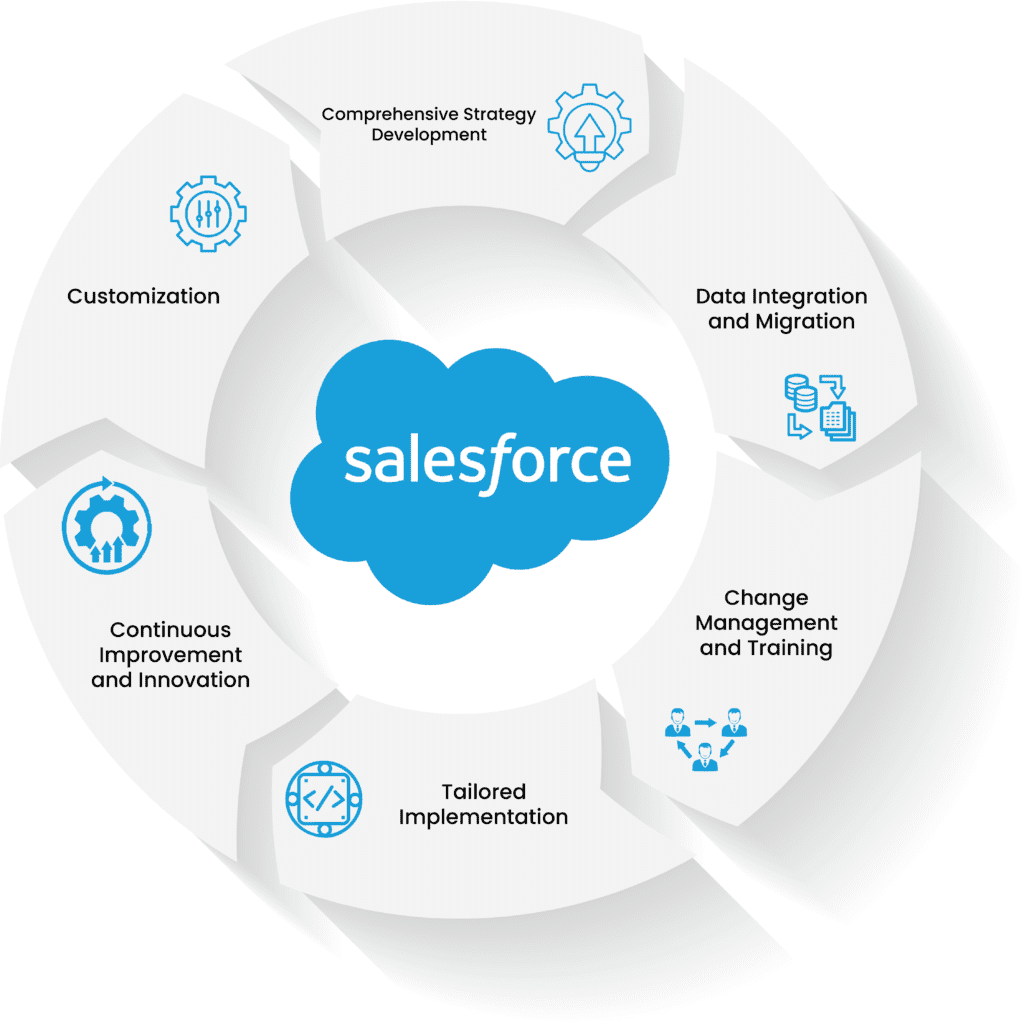
In today’s fast-evolving digital landscape, every growing business needs expert CRM guidance — and that’s why many companies are turning to a Salesforce consultant in India. With the help of professional Salesforce consulting in India, organizations can streamline operations, enhance customer engagement, and drive measurable business growth. From strategy to execution, skilled Salesforce consultants in India empower businesses to harness the full potential of Salesforce solutions in 2025.

The Boom in Salesforce Consulting Across India

India’s become a real hotspot for digital innovation lately. You see it everywhere—finance, retail, education, healthcare. Companies are using Salesforce consulting to work smarter, not harder. These consultants don’t just drop in some software and leave. They shape Salesforce to match what a business actually needs. The goal? Real returns, not just fancy dashboards.

Why Do Businesses Even Need Salesforce Consultants?

It’s not enough to just plug in Salesforce and hope for the best. You need someone who gets business strategy, understands customers, and knows how to use data. Here’s what Indian Salesforce consultants are actually doing:

Custom CRM Setups: They build dashboards, reports, and workflows that really fit the company—not just some cookie-cutter solution.

Smarter Processes: By automating the boring stuff, they help people focus on real work and get more done.

Quicker Decisions: Leaders get the data they need, right when they need it.

Better Customer Connections: With clean, organized data, companies can actually personalize how they talk to customers.

The Role of Salesforce Developers

None of this happens without strong developers. In India, skilled Salesforce developers team up with consultants. They build, test, and launch custom solutions. They also connect Salesforce with tools like ERP systems, analytics platforms, and messaging apps. This teamwork keeps everything running smoothly and helps businesses grow for the long haul.

Why Pick a Salesforce Consulting Partner in India?

Going with an Indian Salesforce partner just makes sense:

You get top-level expertise without breaking the bank.

They know the Indian market and what customers here actually want.

As your business grows, your Salesforce setup can grow with it.

You get support at every step—setup, tweaks, training, and ongoing help.

How Consultants Actually Drive Digital Growth

A Salesforce consultant isn’t just a tech expert. They blend business smarts with technical skills to give companies a clear, full picture of their customers. That leads to happier customers and more sales. With everyone chasing data-driven strategies, the need for Salesforce consultants in India just keeps climbing—especially as we head into 2025.

Wrapping Up

Digital transformation isn’t optional anymore. If you want growth, you need to keep up. Bringing in a Salesforce consultant in India gives businesses the tools to innovate, automate, and stay ahead of the pack. As tech keeps moving forward, Salesforce consultants will be right there, leading the way for companies that want to win.

Top Salesforce Consulting Partners in India for 2025

Top Salesforce Consulting Partners in India for 2025

These days, just about every business in India is racing to get digital—and a good CRM is at the heart of it all. Out of all the options out there, Salesforce really stands out. It’s flexible, scalable, and honestly, it can change the way you work. But to get the most out of it, you need people who know what they’re doing. That’s where Salesforce consulting partners in India come in. The right team can help you sort out sales, marketing, and customer service, all in a way that actually fits your business.

Why Work with Salesforce Consultants in India

Big company, small startup—it doesn’t matter. Working with an Indian Salesforce consultant makes a real difference. They figure out what’s holding you back, tweak your CRM so it actually works for you, and make sure it plays nice with your other tools. You end up saving time, managing leads better, and giving your customers a smoother experience.

  1. Custom Implementation and Integration

The best partners don’t just set up Salesforce—they make sure it’s done right from the beginning. They’ll look at how your business runs, set up the workflows you need, and build dashboards and reports that actually mean something to you. They’ll also connect Salesforce with your other systems—like ERP, marketing tools, or any third-party apps—so everything talks to each other.

  1. Industry Know-How

Top Salesforce consultants in India work across all kinds of sectors—finance, healthcare, retail, real estate, you name it. They get the specific challenges each industry faces, and they tailor Salesforce setups to support those needs. No cookie-cutter solutions here.

  1. Real-Time Insights

Teaming up with a Salesforce developer in India gives your business access to real analytics and AI tools. These folks set up dashboards and reports that show you what’s happening with your sales, customer interactions, and overall performance, right now. You don’t have to guess—you just know, and you can act on it.

  1. Ongoing Support

Salesforce keeps evolving, and your setup needs to keep up. That’s why Indian consultants don’t just disappear once things are live. They stick around for updates, security checks, and regular tune-ups. With their help, you stay on top of new features and industry best practices.

  1. Affordable, Flexible Solutions

One of the big wins of working with Salesforce consultants in India is the value. You get expert help at a price that makes sense, plus flexible service options. Whether you’re just starting out or already running a big operation, you’ll find a plan that fits—without cutting corners on quality.

How to Pick the Right Salesforce Partner in India

Don’t just go with the first name you find. Look for certified Salesforce pros who’ve actually delivered for businesses like yours. Make sure they understand your industry, can handle integrations and development, and are clear about how they work with clients. Good communication and solid support matter just as much as technical skills.

The Bottom Line

As 2025 approaches, more and more Indian companies are turning to Salesforce consultants. The technology is important, but the real magic happens when you work with people who know how to unlock its power. Whether you’re after custom development, a smooth rollout, or a long-term strategy, teaming up with the right Salesforce consulting company in India can change the way you connect with customers—and help your business grow.

Supercharge Your Service Console: Creating an Agentforce-Enabled Scratch Org

Supercharge Your Service Console: Creating an Agentforce-Enabled Scratch Org

Ready to dive into the powerful world of Salesforce Service Cloud and its agent productivity tools? Want a clean, isolated environment to experiment with features like Omni-Channel, Service Cloud Voice, and more? Then you’ll need an Agentforce-enabled scratch org!

For those unfamiliar, a scratch org is a temporary, disposable Salesforce environment that you can quickly spin up for development, testing, and experimentation. Enabling the “Agentforce” feature within a scratch org unlocks a suite of functionalities designed to empower your service agents.

So, how do you create one of these magical environments? It’s simpler than you might think! Here’s your step-by-step guide:

Prerequisites:

  • Salesforce CLI (Command Line Interface) installed and configured: If you haven’t already, head over to the Salesforce Developer documentation and get the CLI set up. It’s your key to interacting with Salesforce DX.
  • Dev Hub enabled in your production org: Your Dev Hub is the central org you use to create and manage scratch orgs. Make sure it’s enabled.
  • Salesforce DX project: You should have an existing Salesforce DX project. If not, you can easily create one using the CLI command: sfdx force:project:create --projectname MyServiceProject

Steps to Create Your Agentforce-Enabled Scratch Org:

  1. Define Your Scratch Org Configuration File: This file, typically named project-scratch-def.json in your project’s config directory, tells Salesforce what features and settings you want in your scratch org. To enable Agentforce, you need to include the ServiceCloudVoice and Agentforce features.Open your project-scratch-def.json file (or create one if it doesn’t exist) and add the following:

JSON

{
“orgName”: “My Agentforce Scratch Org”,
“edition”: “Enterprise”,
“features”: [“ServiceCloudVoice”, “Agentforce”],
“settings”: {
“lightningExperienceSettings”: {
“enableS1DesktopEnabled”: true
},
“omniChannelSettings”: {
“enableOmniChannel”: true
}
// Add any other settings you need here
}
}

  • orgName: Give your scratch org a descriptive name.
  • edition: Enterprise Edition is generally recommended for Service Cloud features.
  • features: This is the crucial part! Including "ServiceCloudVoice" automatically pulls in the necessary dependencies for Agentforce.
  • settings: Here, we’ve enabled Lightning Experience and Omni-Channel, which are often used in conjunction with Agentforce. You can customize this section further based on your specific needs.

2. Create the Scratch Org Using the CLI: Now that you’ve defined your configuration, it’s time to bring your scratch org to life using the Salesforce CLI. Open your terminal or command prompt, navigate to your Salesforce DX project directory, and run the following command:

Bash :

sfdx force:org:create -f config/project-scratch-def.json -s -d 30

  • sfdx force:org:create: This is the command to create a new scratch org.
  • -f config/project-scratch-def.json: This specifies the configuration file you just created. Adjust the path if your file is located elsewhere.
  • -s: This sets the newly created scratch org as your default org, making it easier to deploy and interact with.
  • -d 30: This sets the duration of the scratch org to 30 days (the maximum). You can adjust this as needed.

3. Authorize Your Dev Hub (If Prompted): If this is your first time creating a scratch org or if your Dev Hub authorization has expired, the CLI will prompt you to authorize it by opening a web browser. Follow the on-screen instructions to log in to your Dev Hub org.

4. Wait for Your Scratch Org to Be Created: Salesforce will now work its magic and provision your new scratch org. This process might take a few minutes. Keep an eye on your terminal for confirmation messages.

5. Open Your New Scratch Org: Once the scratch org is successfully created, you can open it directly from the CLI using the following command:

Bash :

sfdx force:org:open

This will open your new Agentforce-enabled scratch org in your default web browser.

Next Steps:

Congratulations! You now have a fresh scratch org ready for you to explore the power of Agentforce. Here are some things you can do next:

  • Explore Service Cloud Setup: Navigate to Setup and explore the Service Cloud features.
  • Set up Omni-Channel: Configure routing rules, queues, and presence statuses.
  • Investigate Service Cloud Voice: If you have the necessary licenses, start setting up your call center.
  • Deploy Metadata: If you have existing Service Cloud configurations, use the CLI to deploy them to your new scratch org.
  • Develop and Test: Build and test your custom Service Cloud solutions in this isolated environment.

Creating an Salesforce Agentforce-enabled scratch org is a fantastic way to get hands-on experience with Salesforce’s robust service agent tools without impacting your production environment. So go ahead, spin up a new org, and unlock the full potential of your Service Cloud! Happy developing!