
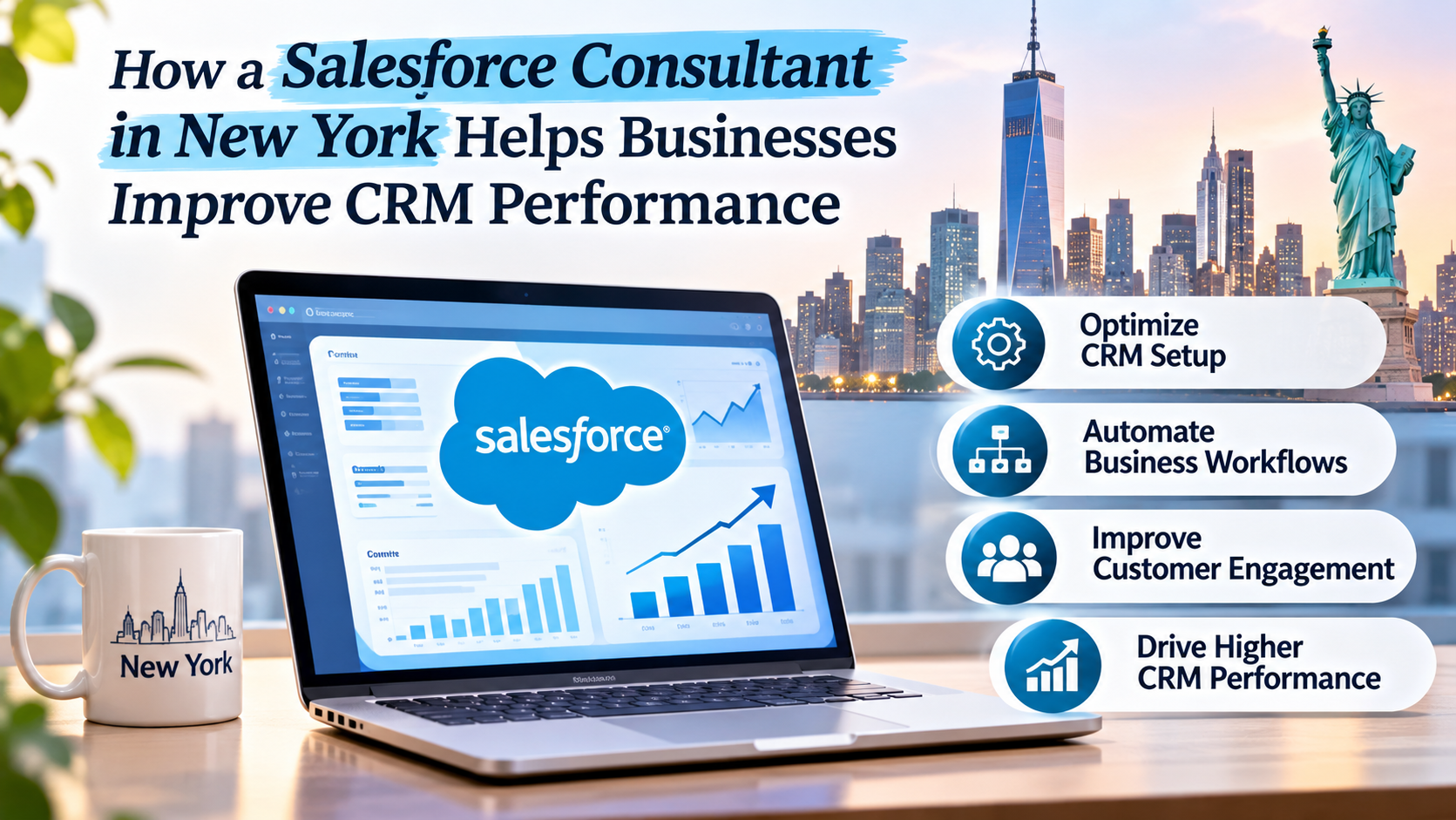
How a Salesforce Consultant in New York Helps Businesses Improve CRM Performance

Salesforce Consultant in New York

You have invested in Salesforce to make your business run more efficiently. However, if your sales team are still spending hours entering data, generating reports and searching for information, you’re not seeing any real benefits. This is a common issue for many businesses who have invested in Salesforce but aren’t aligning it with their processes. 

A Salesforce Consultant in New York can help your business improve their CRM performance by identifying inefficiencies within the system, simplifying processes and making it easier to manage customer data. Professional Salesforce consulting services in New York can help you identify the areas you need to improve. 

How Can Salesforce Consultants Improve CRM Performance? 

Salesforce consultants will look at how your current CRM is set up and identify areas where your employees are struggling. They will investigate your customer data, sales process, reporting and automation. 

For example, if your sales team are spending time manually allocating new leads, your consultant may recommend automating the process. If your managers are struggling to see what is going on in their sales pipeline, your consultant can set up dashboards to clearly show them the information they need. 

Overall, the main areas of improvement will be to reduce manual processes, improve data accuracy, simplify processes and make Salesforce easier for your employees. Rather than adding extra features to Salesforce, your consultant will focus on helping you overcome your real business issues. 

Understanding The Role of a Salesforce Consultant in New York 

Salesforce consultants can help your business plan, set up, improve and configure their CRM. They will first look at how your business works and then recommend changes to your system. 

For example, a financial services company will require detailed customer data and approval processes. Whereas a retail business will focus on customer interactions, sales and marketing. Both will use Salesforce but will have different requirements. 

Salesforce consultants can help identify the areas where your business needs to improve its CRM. They will talk to your management and employees to identify any issues and configure the right features. 

Common Issues With CRM 

Many businesses will assume that once they have invested in Salesforce their customer management will improve. However, how effective Salesforce is depends on how well your processes are set up. Common issues include: 

  • Incorrect data – Employees may be entering duplicates or forgetting to update contact details meaning the different departments are working with incorrect data. 
  • Complex processes – Employees may be having to navigate through multiple screens to complete simple tasks. 

Poor lead tracking, limited reporting and disconnected apps can cause employees to lose confidence in their CRM over time. 

How Can a Salesforce Consultant Improve My Business? 

To improve your CRM performance, you will need to understand how the technology works and how your employees are using it. Usually, your consultant will start by carrying out an assessment. 

Assessing Current CRM Processes 

Your consultant will look at how your Salesforce is currently being used. They may speak to your sales reps, customer support and management. This helps to identify any areas where your employees are wasting time, areas prone to errors and what information needs to be managed. 

For example, you may identify that your sales team are spending more time creating reports than talking to potential customers. Once you understand this issue, your consultant can make recommendations to improve your reporting. 

Customising Salesforce 

Every company has a different way of managing their customers. Therefore, your Salesforce may not be set up to meet your requirements. Your consultant can help you customise Salesforce by changing fields, page layouts, objects and workflows. 

For example, if you are a consulting company, you may want to track on boarding clients, project progress and contract renewals. Your Salesforce can be set up to help manage these. The aim of this is to make processes easier for your employees. 

Automate Manual Tasks 

Manual tasks can cause your employees to waste time. By using Salesforce automation, you can help reduce the amount of manual work. Your consultant can set up automation to: 

  • Allocate new leads to the correct sales rep. 
  • Send reminders. 
  • Route approvals to management. 
  • Update data based on certain criteria. 

If you receive hundreds of enquires per week, you will need to spend time distributing them. Using automation to allocate leads can help ensure they get to the right people quicker. 

Improving Data Accuracy 

Having accurate customer data is key to having a good performing CRM. However, many businesses often end up with duplicate, incorrect and incomplete data. 

Salesforce CRM optimization can help address these problems through data reviews, validation rules and improved record management practices. 

Your consultant can also recommend standardising data entry. Having consistent customer data across your departments can help to reduce confusion and improve accuracy in reporting. By improving your data management, your employees can spend less time correcting data. 

Salesforce Integration 

Most businesses will use multiple applications. Your sales team may be using Salesforce, your marketing team may be using an email automation tool, and your finance department may be using an accounting application. 

This can cause staff to have to enter the same information multiple times causing unnecessary work and errors. A Salesforce consultant can help you integrate applications that work well together to help you easily pass on the relevant information. 

For example, integrating Salesforce with your marketing platform can help your sales reps understand how potential customers are interacting with your campaigns. Integrating customer support applications can help improve access to service information. Careful planning should be done to ensure data security, compatibility and maintenance. 

Improving Sales Pipeline 

A sales pipeline helps your business understand how potential customers move from first enquiring to making a purchase. Without knowing what is happening, your sales reps may forget to follow up, miss out on opportunities and struggle to identify where deals are getting stuck. 

A Salesforce Consultant in New York can help you configure your sales stages, lead qualifying and opportunity tracking. They may also set up reminders and improve how you track customer interactions. 

Having a clear view of your sales pipeline means your management can see opportunities that need working on. 

Reports And Dashboards 

It can be tricky for your management to make decisions if they aren’t able to access accurate information. Salesforce has reporting and dashboards however, you may not know how to set this up. 

Your consultant can help you create reports to show key metrics like sales opportunities, lead conversion, customer service and revenue forecasting. 

Rather than having to manually gather information from different departments, your management can use the dashboards you have set up to identify key performance indicators. The aim isn’t to show all the numbers but to show information that will help your business understand how they are doing. 

Training Employees 

Even if your CRM is set up correctly, if your employees are not comfortable using it you may not see the results you expect. Some employees may still be maintaining spreadsheets due to Salesforce being complicated. Others may not be using much of the features available. 

Your consultant can provide training to help your employees. Sales reps may need guidance on managing opportunities and management may need training on dashboards and reporting. 

By providing clear instructions, demonstrations and support, your employees can feel more confident using the system. Once your employees understand how Salesforce can make their life easier, they are more likely to use it. 

Salesforce Setup and Migration 

Many businesses will require help setting up Salesforce and migrating their customer data. Professional Salesforce implementation services can help you plan this to avoid any unnecessary issues. Usually, you will identify what your business requires, setup your CRM, prepare your data and test the system. 

Extra care will be needed when migrating data. If you have incorrect or duplicate data, this can cause issues. Your consultant can also help train your employees and review the performance of your system. 

Measuring Improvements 

Once you have made changes to your Salesforce, it is important to understand if they are providing any real benefits. 

A great place to start is to compare your performance before and after. Key metrics could include: 

  • Time spent on admin. 
  • Lead response and conversion. 
  • Customer data accuracy. 
  • CRM usage. 
  • Customer service response time. 

If you have set up automation to help reduce the time spent allocating leads, you can measure if your response times have improved. Regularly reviewing the performance will help you identify what is working and what may need adjusting. 

Choosing The Right Consultant 

When choosing a consultant, you should look beyond the cost of the service. You want someone who understands your business processes and can recommend practical improvements. 

Look for consultants with experience, knowledge and understanding of your industry. Ask how they approach CRM assessments, integrations and how they can support your employees. 

When looking at Salesforce consulting services New York, it is a good idea to discuss how long the project will take, what will be delivered and what support will be provided. 

Having a consultant who understands your long-term goals can help you create a plan to improve your CRM to meet your future requirements. 

When Should I Employ a Salesforce Consultant? 


Hiring a Salesforce consultant can be helpful when your team faces CRM issues, customer data becomes unreliable, reporting takes too long, or your business is expanding, integrating new applications, or migrating from another CRM.

A Salesforce Consultant in New York can help you review these areas and identify what improvements to focus on. By addressing any issues early, you will make future changes to your CRM easier to manage. 

FAQs

What does a Salesforce consultant do? 

A Salesforce consultant can help your business implement, set up, customise and improve your Salesforce CRM. They can also advise on automation, integrations, reporting and training. 

How can Salesforce consulting help improve sales? 

Salesforce consulting can help improve the management of your leads, follow ups and pipeline. This will help your sales team manage their activity. However, your sales will depend on several factors. 

How long will it take to optimise my Salesforce CRM? 

This will depend on how your CRM is currently set up, what your business requirements are, the quality of your data and how complex the improvements are. If you are making minor changes to the setup, this may take less time than making complex integrations. 

Can Salesforce integrate with other applications? 

Yes, Salesforce can integrate with a wide range of applications. This can include your marketing, customer support and accounting. However, you should review if they are compatible and what the technical requirements are. 

Do small businesses need Salesforce consulting services? 

Small businesses can benefit from consulting services. If you need help setting up Salesforce, improving processes or managing your customer data. The level of support will depend on your requirements and resources. 

How can I measure my Salesforce CRM performance? 

You can measure your CRM performance by looking at your lead conversion rate, response times, employee usage, data accuracy and other key metrics. 

Conclusion 

Improving your CRM performance isn’t just about adding new features. It is about understanding your business processes, having accurate customer data and making sure your employees can use the system. A Salesforce Consultant in New York can help you identify any issues within your processes, automate manual processes, improve reporting and integrate Salesforce with other applications. By carefully planning and regularly reviewing performance, companies can get the most out of their CRM investment. If you are looking to improve your current system, a Salesforce consultant in New York can help you identify your requirements and create practical solutions to help your business grow in the future.

The Rise of RevOps: How Revenue Cloud is the Cornerstone of a Modern Revenue Operations Strategy

salesforce consulting partner in new york , salesforce service in new york , new york salesforce consultant partner , top salesforce consultant company in new york , best salesforce consulting and implementation partner in new york

In the relentless pursuit of growth, businesses have long grappled with the silos that separate their sales, marketing, and service departments. Each team operates on its own set of metrics, tools, and processes, often leading to friction, inefficiency, and a disjointed customer experience. The result? A leaky revenue bucket where opportunities fall through the cracks and potential for growth remains untapped.

This is where the concept of Revenue Operations, or RevOps, enters the picture. More than just a buzzword, RevOps is a fundamental shift in how businesses approach their go-to-market strategy. It’s about breaking down the traditional departmental walls and creating a unified, end-to-end process that aligns all revenue-generating functions around a single, shared goal: maximizing the lifetime value of every customer.

What is RevOps and Why Does It Matter?

At its core, RevOps is the strategic integration and alignment of all business functions involved in generating and managing revenue. It’s the orchestration of sales, marketing, and service operations to create a seamless, cohesive journey for the customer, from initial awareness to post-purchase support and beyond.

The key pillars of a successful RevOps strategy include:

  • Unified Data & Analytics: A single source of truth for all customer data, enabling a holistic view of the customer journey and providing actionable insights for all teams.
  • Streamlined Processes: Automated workflows and consistent processes across the entire revenue funnel, eliminating manual handoffs and reducing errors.
  • Shared Technology Stack: A common set of tools and platforms that enable seamless communication and collaboration between teams.
  • Aligned Goals & Metrics: A shared set of KPIs and objectives that incentivize collaboration and ensure everyone is working towards the same outcome.

The benefits of a well-executed RevOps strategy are significant:

  • Increased Revenue Growth: By eliminating friction and optimizing the entire revenue funnel, businesses can close more deals, upsell existing customers, and drive predictable growth.
  • Improved Customer Experience: A seamless and consistent customer journey fosters trust, loyalty, and positive brand perception.
  • Enhanced Operational Efficiency: Automated processes and unified data reduce administrative burden and allow teams to focus on high-value activities.
  • Data-Driven Decision Making: A single source of truth provides accurate, real-time data for strategic planning and optimization.

The Problem with Traditional CRM and CPQ

For years, businesses relied on separate CRM (Customer Relationship Management) and CPQ (Configure, Price, Quote) solutions. While these tools addressed specific needs, they often created new problems:

  • Disjointed Data: Customer data was scattered across multiple systems, making it difficult to get a complete view of the customer.
  • Manual Handoffs: The process of moving a customer from marketing to sales to service involved manual handoffs and data entry, leading to errors and delays.
  • Inconsistent Quoting: CPQ systems often operated in a silo, leading to inconsistencies between the sales quote and the final order.
  • Billing and Service Gaps: The transition from a closed deal to billing and service was often clunky, creating a negative post-purchase experience.

These challenges made it difficult to truly align revenue-generating teams and created a disconnect between the front office (sales and marketing) and the back office (operations and finance).

Revenue Cloud: The Cornerstone of the Modern RevOps Strategy

This is where a unified platform, a Salesforce Revenue Cloud, emerges as the essential cornerstone of a modern RevOps strategy. Revenue Cloud isn’t just a single product; it’s an integrated suite of tools designed to connect the entire revenue lifecycle, from lead to cash. It breaks down the silos that have plagued businesses for decades by providing a single platform for sales, marketing, service, and finance.

A robust Revenue Cloud solution typically encompasses:

  • Unified CRM: The foundational element, providing a single source of truth for all customer data.
  • Advanced CPQ: Not just for quoting, but for automating the entire process from configuration to pricing and proposal generation, ensuring accuracy and consistency.
  • Billing & Payments: Seamless integration with billing and payment systems to ensure a smooth transition from quote to cash, eliminating billing errors and improving cash flow.
  • Subscription Management: Tools to manage recurring revenue streams, from automated renewals to upsells and cross-sells.
  • E-commerce: Integration with e-commerce platforms to provide a seamless buying experience for customers.

How Revenue Cloud Aligns the Entire Revenue Engine

The magic of Revenue Cloud lies in its ability to connect the dots across the entire customer journey:

  1. From Lead to Quote: When a lead comes in through a marketing campaign, the data is captured in the CRM. As the sales rep qualifies the lead, they use the integrated CPQ to quickly and accurately configure a quote based on the customer’s needs, all within the same platform. This eliminates the need for manual data entry and ensures the quote is accurate and consistent with the company’s pricing rules.
  2. From Quote to Cash: Once the quote is approved and the deal is closed, the information seamlessly flows to the billing system. This automated process ensures accurate invoicing, reduces billing errors, and accelerates the time to cash. The subscription management capabilities automatically handle renewals and allow for easy upsells, ensuring a continuous revenue stream.
  3. From Cash to Service: With the customer onboarded and the billing process automated, the service team has a complete view of the customer’s history, including their purchase history, support tickets, and communication logs. This 360-degree view allows the service team to provide personalized and proactive support, fostering customer loyalty and driving repeat business.

The Future is Now: Building Your RevOps Foundation

The rise of RevOps is not a fleeting trend; it’s a fundamental shift in how businesses must operate to stay competitive. In a world where customer expectations are higher than ever, a fragmented, siloed approach to revenue generation is a recipe for stagnation.

For businesses looking to embrace RevOps, a unified Revenue Cloud is not just a nice-to-have; it’s a strategic imperative. It provides the technological foundation to break down departmental silos, align all revenue-generating teams, and create a seamless, end-to-end customer journey. By investing in a comprehensive Salesforce Revenue Cloud solution, you’re not just buying software; you’re building the cornerstone of a modern, efficient, and highly profitable revenue operation.

The future of business is connected, and the path to predictable growth lies in a unified approach to revenue. The time to embrace RevOps and unlock the full potential of your revenue engine is now.

Salesforce Marketing Cloud vs. HubSpot, Marketo & Adobe

Salesforce Marketing Cloud vs. Other Marketing Automation Platforms: Which One Wins in 2025?

Marketing automation has matured from “send a newsletter” tools into customer engagement platforms that orchestrate journeys across email, mobile, web, ads, and service. Salesforce Marketing Cloud (SFMC) is often shortlisted alongside Adobe Marketo Engage, HubSpot Marketing Hub, and Adobe Experience Cloud. This guide gives you a pragmatic, apples-to-apples comparison so you can decide what fits your stack, skills, and scale.


TL;DR (Who tends to pick what?)

  • Salesforce Marketing Cloud (Engagement + Data Cloud): Best for enterprises or fast-scaling orgs that need complex, multi-channel journeys, deep personalization on large datasets, and tight alignment with Salesforce CRM/service data.
  • Adobe Marketo Engage: B2B demand gen powerhouse—lead nurturing, scoring, and ABM—great when you have complex B2B lifecycle needs and a mixed CRM environment (SFDC, MS Dynamics).
  • HubSpot Marketing Hub: All-in-one ease of use for SMBs and mid-market; fast time to value, native CRM, strong content tools.
  • Adobe Experience Cloud (Campaign/Customer Journey Analytics/RT-CDP): Enterprise, omnichannel scale with rich web/personalization & analytics—often chosen by teams already invested in Adobe Analytics/Target/Experience Platform.

The Contenders at a Glance

CapabilitySalesforce Marketing CloudMarketo EngageHubSpot Marketing HubAdobe Experience Cloud (Campaign + AEP)
Core StrengthComplex, real-time journeys; enterprise data; multi-cloud Salesforce synergyB2B lifecycle, lead scoring, ABM, nurtureEase of use, content + CRM in one, quick deploymentEnterprise omnichannel at scale, deep analytics & personalization
Data FoundationData Cloud (CDP), contact & event models, real-time unificationLead/contact database with custom fields & smart listsNative CRM objects + lists, simple segmentationAEP RT-CDP + Profiles + event streaming
Journeys/AutomationJourney Builder, real-time triggers, Mobile/Email/AdsSmart campaigns, nurture streamsWorkflows, simple journey builderAdobe Journey Optimizer, rule-based & event-driven
PersonalizationEinstein AI, AMPscript/SSJS, Content Builder rulesTokens, dynamic content, predictive scoresSmart content, AI assistants, basic rulesAdobe Target, AI/ML (Sensei), rich web personalization
ChannelsEmail, SMS, Push, In-app, WhatsApp, Ads, WebEmail, Webhooks, Ads (via integrations)Email, Ads, basic SMS (add-ons), ChatEmail, SMS, Push, Web, Ads, Connected TV (via partners)
AnalyticsDatorama (MC Intelligence), Journey analytics, AI insightsProgram performance, attribution, RCE (add-on)Built-in dashboards, attribution, rev reportingCustomer Journey Analytics with Adobe Analytics
ExtensibilityAPIs, packaged connectors, AppExchange, SSJSREST APIs, LaunchPoint ecosystemAPIs, marketplace, custom objects (Enterprise+)Extensive APIs, Adobe/partner ecosystem
Typical BuyerEnterprise B2C/B2B2C & complex B2BB2B mid-market/enterpriseSMB–mid-marketEnterprise consumer brands with heavy web/digital

Note: Pricing varies by contacts, channels, add-ons (CDP, analytics), and SLAs. Always model total cost of ownership (TCO) over 3 years.


Deep Dive: Where SFMC Stands Out

1) Journey Orchestration at Scale

  • Journey Builder supports branching, event and API-triggered paths, and channel switching (email → push → SMS) based on behaviors.
  • Real-time decisioning with Entry/Exit criteria, goal tracking, and Einstein predictions (e.g., send-time optimization).

2) Data Depth & Identity

  • Data Cloud (Salesforce CDP) unifies data from CRM, web, mobile, POS, and data lakes into person & household profiles with consent states.
  • Strong identity resolution, calculated insights, and segment activation across Salesforce clouds and ad networks.

3) Salesforce Ecosystem Synergy

  • Tight integration with Sales Cloud, Service Cloud, Commerce, and Tableau improves lead handoff, service-triggered campaigns, and revenue analytics.
  • AppExchange offers packaged connectors (loyalty, events, offline data ingestion, WhatsApp, etc.).

4) Multi-Channel Breadth

  • Native Email, SMS, Push, In-App, WhatsApp, and Advertising audiences, with robust template and content tooling.

5) Governance & Global Scale

  • Business units, partitioned data, granular roles/permissions, and approval flows suit complex orgs and agencies.

Where SFMC May Be Overkill (or Need Expertise)

  • Operational Complexity: Advanced features (AMPscript, SSJS, Data Views, SQL) may require specialized admin/dev skills.
  • TCO Considerations: Enterprise license + add-ons (Data Cloud, Intelligence) add cost; ROI is realized when you use multiple channels and rich data.
  • B2B Lead Ops: It can do B2B very well, but Marketo still wins hearts for classic demand-gen pipelines and ABM simplicity—unless you pair SFMC with Salesforce Account Engagement (formerly Pardot) and Data Cloud.

Competitor Strengths (Fair Credit Where Due)

Marketo Engage

  • Lead Lifecycle & Scoring: Mature nurture programs, program-level analytics, and revenue cycle modeling.
  • ABM: Native account lists, intent enrichment (via partners), and sales alerts.
  • CRM Flexibility: Works well with Salesforce and Microsoft Dynamics.

HubSpot Marketing Hub

  • Time to Value: Onboarding is fast; marketers can build without heavy admin overhead.
  • Content & SEO: Blog, CMS, forms, and chat tightly integrated; great for inbound.
  • Unified UI: Fewer tools to stitch—ideal for lean teams.

Adobe Experience Cloud

  • Web-Centric Personalization: Best-in-class when combined with Adobe Analytics and Adobe Target.
  • Enterprise Data: The AEP RT-CDP + Journey Optimizer stack supports sophisticated, real-time omnichannel.
  • Creative/Content Ecosystem: Natural fit for creative-heavy orgs already on Adobe.

Feature-by-Feature Comparison

Data & CDP

  • SFMC: Data Cloud offers identity stitching, profile unification, consent management, calculated insights, and activation to SF clouds and ad destinations.
  • Marketo: List-based segmentation with custom fields; CDP-like use cases often require additional tools.
  • HubSpot: Simple, effective CRM objects + lists; custom objects in higher tiers; CDP-light for many SMB needs.
  • Adobe: AEP is a true enterprise CDP with event streaming and powerful schemas.

Journey Design & Triggers

  • SFMC: Visual Journey Builder supports multi-step, event/API triggers, and channel pivoting.
  • Marketo: Smart campaigns excel at B2B nurture; fewer native mobile channels.
  • HubSpot: Intuitive workflows; good for email/web; limited deep branching at enterprise complexity.
  • Adobe: Journey Optimizer handles complex omnichannel with web personalization superpowers.

Personalization & AI

  • SFMC: Einstein (send-time, engagement scoring, content selection); AMPscript/SSJS for deep dynamic content.
  • Marketo: Predictive lead scoring, dynamic content, tokens.
  • HubSpot: AI assistants for content, basic predictive tools, smart content.
  • Adobe: AI (Sensei) across Target, AEP for next-best-offer in web/app contexts.

Channels

  • SFMC: Strongest native mobile + messaging mix (SMS, Push, In-App, WhatsApp) plus Ads.
  • Marketo: Email-first; relies on integrations for mobile/app messaging.
  • HubSpot: Email + Ads; SMS via add-ons; great blog/CMS/landing pages.
  • Adobe: Email, SMS, push, and rich web/app personalization through Adobe stack.

Reporting & Attribution

  • SFMC: Marketing Cloud Intelligence (Datorama) for multi-touch dashboards and cross-channel ROI; Journey analytics.
  • Marketo: Program performance, revenue cycle analytics (add-on), decent MQL/SQL reporting.
  • HubSpot: Clean out-of-the-box dashboards; solid for SMB and mid-market attribution.
  • Adobe: Customer Journey Analytics with Adobe Analytics—very powerful for web-heavy orgs.

Ecosystem & Extensibility

  • SFMC: AppExchange, APIs, packaged connectors; strong when paired with Sales/Service/Commerce.
  • Marketo: LaunchPoint marketplace; strong partner ecosystem for B2B add-ons.
  • HubSpot: Marketplace + native CMS; developer-friendly for SMB needs.
  • Adobe: Broad Adobe/ISV ecosystem; sophisticated but complex.

Implementation Considerations & Hidden Gotchas

  1. Data Readiness
    • If your customer data lives across CRM, ecommerce, apps, and data lakes, SFMC + Data Cloud or Adobe AEP will handle unification best.
    • If most of your GTM runs out of Salesforce CRM and you need sales-marketing alignment, SFMC is a natural fit.
  2. Team Skills & Resourcing
    • SFMC delivers top-tier capability but rewards teams with admin/dev capacity (SQL, scripting, APIs).
    • HubSpot is best for lean teams prioritizing speed and simplicity.
  3. Compliance & Consent
    • Global brands should evaluate consent models (email/SMS/WhatsApp), regional data residency, and audit trails. SFMC, Adobe, and Marketo all support enterprise governance; HubSpot covers common needs well.
  4. Total Cost of Ownership (TCO)
    • License + add-ons (CDP, analytics, messaging) + services + integration cost.
    • Model 3-year TCO vs. expected revenue lift from journey automation, churn reduction, and media efficiency.

Decision Guide (Quick Scenarios)

  • We’re a D2C brand with app + web, heavy lifecycle messaging.
    Choose Salesforce Marketing Cloud (add Data Cloud for 360° profiles). Strong mobile, WhatsApp, and behavioral triggers.
  • We’re a B2B SaaS with sophisticated lead ops and ABM.
    Choose Marketo Engage (or SFMC + Account Engagement if you want unified Salesforce stack).
  • We need fast setup, content-first inbound, and simple automation.
    Choose HubSpot Marketing Hub.
  • We’re an enterprise with deep web analytics, personalization, and large content ops.
    Choose Adobe Experience Cloud (Campaign + AEP + Target/Analytics).

Migration & Integration Tips

  1. Start with Data Contracts: Define golden customer profile, consent flags, and event taxonomy before any build.
  2. Phase Journeys: Recreate top 3 revenue-impact journeys first (onboarding, abandonment, win-back), then expand.
  3. Parallel Run & QA: Keep legacy automation live while validating segments, deliverability, and KPIs.
  4. Measure Early: Establish pre-migration baselines (open/click, conversion, LTV, CAC) to prove ROI within 90 days.

KPI Framework to Compare Platforms

  • Engagement: Delivered rate, opens/clicks, app opt-in, send-time optimization lift.
  • Journey Performance: Conversion per step, time-to-convert, drop-off heatmaps.
  • Revenue & Efficiency: Incremental revenue per message, MTA/MTA-like lift, media spend efficiency via audience suppression.
  • Data Quality: Match rate across sources, identity resolution accuracy, consent coverage.
  • Ops: Build time per campaign, error/rollback rate, dependency on dev resources.

Frequently Asked Questions

Is SFMC only for enterprises?
No, but it shines with scale and complexity. Smaller teams can use it successfully when journeys span multiple channels and data sources.

Do I need Data Cloud with SFMC?
Not always. If you’re unifying lots of disparate data (apps, web, POS, service), Data Cloud adds big value.

Can I run B2B on SFMC?
Yes—especially paired with Salesforce Account Engagement for lead lifecycle and with Sales Cloud for revenue attribution.

Which platform is “best”?
The “best” platform matches your data reality, team skills, channels, and growth goals—not just feature checklists.


Bottom Line

  • Choose Salesforce Marketing Cloud when omnichannel journeys, enterprise governance, and Salesforce ecosystem alignment are strategic.
  • Choose Marketo Engage when B2B lead lifecycle, scoring, and ABM are core.
  • Choose HubSpot when time-to-value and marketer-friendly UX matter more than deep customization.
  • Choose Adobe Experience Cloud when web/app personalization at enterprise scale is mission-critical.

If you’d like, share your current stack, primary channels, team size, and top 3 journey goals—I can map this to a precise recommendation and a phased rollout plan.