
Salesforce Development Services: What to Know Before Hiring a Partner ?

Salesforce Development Services: What to Know Before Hiring a Partner

Choosing the right Salesforce development partner can shape how well your business uses CRM, automation, reporting, and customer data in the years ahead. Many businesses invest in Salesforce expecting faster sales cycles, better service, and smoother operations, but those results usually depend on how well the platform is implemented, customized, and scaled.

That is why hiring a Salesforce development company is not just a technical decision. It is a business decision.

Before signing with any Salesforce partner, businesses should understand what Salesforce development services include, how to evaluate a vendor, what mistakes to avoid, and what outcomes to expect. This guide covers exactly that.

What Are Salesforce Development Services?

Salesforce development services refer to the planning, customization, integration, implementation, and ongoing support of Salesforce solutions based on a business’s specific needs.

These services often include:

  • Salesforce consulting and discovery
  • Custom Salesforce app development
  • Sales Cloud implementation
  • Service Cloud implementation
  • Experience Cloud development
  • Marketing Cloud integration
  • CPQ setup and customization
  • Salesforce automation and workflow design
  • API integrations with third-party tools
  • Custom Lightning components
  • Data migration and data cleanup
  • Salesforce managed services and support

In simple terms, Salesforce development helps businesses turn the Salesforce platform into a system that actually fits their sales process, customer service workflow, reporting needs, and long-term growth plans.

Why Businesses Hire a Salesforce Development Partner

Many companies begin with Salesforce but quickly realize that an out-of-the-box setup is rarely enough. Every company has its own customer journey, approval structure, reporting logic, team hierarchy, and integration stack.

A Salesforce development partner helps close that gap.

Businesses usually hire Salesforce experts when they need to:

  • Launch Salesforce quickly and correctly
  • Replace manual work with automation
  • Connect Salesforce with ERP, marketing, support, or finance systems
  • Improve user adoption across teams
  • Build custom dashboards and reports
  • Migrate data from legacy CRMs
  • Scale the platform as business needs grow
  • Reduce errors and improve decision-making

A strong Salesforce partner does more than build. They help align the platform with business goals.

What to Look for Before Hiring a Salesforce Partner

Hiring the wrong Salesforce development company can lead to delays, poor adoption, rising costs, and a system that your team struggles to use. Before making a decision, businesses should evaluate a partner across several areas.

1. Industry Understanding

A partner with technical Salesforce knowledge is useful. A partner who also understands your industry is much more valuable.

For example, a fintech company may need secure workflows, loan-stage tracking, compliance-focused reporting, and customer onboarding automation. A healthcare business may need patient communication flows and strict access control. A real estate business may need lead routing, broker visibility, and property inquiry workflows.

A partner that understands your business model can recommend smarter solutions from the start.

2. Salesforce Certifications and Technical Capability

Always check whether the company has certified Salesforce developers, consultants, administrators, and architects. Certifications alone do not guarantee success, but they do show platform commitment and verified expertise.

You should also ask about experience with:

  • Apex development
  • Lightning Web Components
  • Salesforce Flow
  • API integration
  • AppExchange solutions
  • Data migration
  • Multi-cloud implementations

The right partner should be comfortable handling both standard Salesforce features and custom development needs.

3. Discovery and Requirement Gathering Process

A reliable Salesforce development partner should not jump straight into coding. They should begin with discovery.

That means understanding:

  • Your current business processes
  • Pain points in existing systems
  • Team structure and user roles
  • Sales and service workflows
  • Reporting expectations
  • Integration requirements
  • Growth plans

If a vendor offers pricing and timelines without deeply understanding your business, that is often a red flag.

4. Customization vs Over-Customization

Good Salesforce partners know when to customize and when to keep things simple.

Some vendors overbuild the system with unnecessary code, too many custom objects, and complex workflows that are difficult to maintain later. Others rely too much on standard setup and fail to support real business requirements.

The right partner balances flexibility, performance, maintainability, and cost.

5. Integration Experience

Salesforce often needs to connect with other platforms such as:

  • ERP systems
  • Accounting tools
  • Marketing automation software
  • Payment gateways
  • Customer support platforms
  • Internal business applications

Ask the partner about their integration experience. If your business relies on multiple systems, this is one of the most important areas to assess.

6. Data Migration Strategy

Poor data migration can create long-term issues even if the implementation looks successful at launch.

A Salesforce partner should have a clear migration plan for:

  • Data mapping
  • Duplicate cleanup
  • Field transformation
  • Historical data import
  • Validation and testing
  • User acceptance checks

Clean data is essential for reporting, automation, and user trust.

7. Communication and Project Management

Even technically skilled partners can fail if communication is weak.

Before hiring, understand:

  • Who will manage the project
  • How often updates will be shared
  • How feedback will be collected
  • What tools will be used for task tracking
  • How scope changes will be handled

A professional Salesforce development company should have a structured delivery process and clear communication habits.

8. Post-Launch Support

Salesforce is not a one-time setup. Businesses continue to need improvements, issue resolution, training, and optimization after launch.

Ask whether the partner offers:

  • Managed Salesforce support
  • Bug fixing
  • Enhancement requests
  • Admin support
  • Performance review
  • User training
  • Release management

Post-launch support matters because business processes keep changing.

Questions Businesses Should Ask Before Hiring a Salesforce Development Company

Before finalizing a partner, ask direct questions that reveal their real approach.

Here are some useful ones:

  • Have you worked with businesses in our industry before?
  • What Salesforce clouds and products do you specialize in?
  • How do you handle discovery and requirement gathering?
  • How do you decide when to use custom code versus standard functionality?
  • What is your approach to Salesforce integrations?
  • How do you manage data migration and quality checks?
  • Who will be assigned to our project?
  • What happens after go-live?
  • Can you support future enhancements and scaling?
  • How do you measure implementation success?

The goal is not just to compare pricing. It is to understand who can deliver long-term value.

Common Mistakes Businesses Make When Hiring a Salesforce Partner

Many businesses focus too much on cost and too little on fit. That usually leads to avoidable problems.

Here are some common mistakes:

Choosing the Cheapest Option

A low-cost vendor may look attractive early on, but poor architecture, delays, and rework can become more expensive later.

Ignoring Business Alignment

Some companies hire technically strong teams that do not fully understand how the business actually operates. That often results in a system people do not use properly.

Not Defining Success Early

If goals are unclear, the implementation can drift. Businesses should define what success means before the project begins, such as faster lead response time, better reporting accuracy, reduced manual work, or increased user adoption.

Skipping User Training

Even a well-built Salesforce setup can fail if employees do not understand how to use it. Training should be part of the delivery plan.

Overlooking Scalability

What works for a team of 10 users may not work for 100. Your Salesforce partner should think beyond the current phase and design for future growth.

Signs You Have Found the Right Salesforce Development Partner

A strong Salesforce consulting and development partner usually shows these qualities:

  • They ask thoughtful business questions
  • They focus on outcomes, not just features
  • They explain technical decisions clearly
  • They suggest practical improvements
  • They build for usability and scalability
  • They communicate transparently
  • They care about adoption after go-live

The best Salesforce partners act like strategic advisors, not just software vendors.

How Salesforce Development Services Benefit a Business

When done correctly, Salesforce development can create measurable business value.

Key benefits include:

Better Process Automation

Manual tasks like lead assignment, follow-ups, approvals, and case escalation can be automated, saving time and reducing errors.

Improved Customer Visibility

Sales, service, and leadership teams gain a clearer view of customer interactions, pipeline stages, and support history.

Stronger Reporting and Decision-Making

Customized dashboards and reports help businesses track performance, identify bottlenecks, and make faster decisions.

Higher Team Productivity

With better workflows and less duplication, teams can focus more on selling, serving, and growing.

Easier Scalability

A well-built Salesforce system supports expansion across teams, regions, products, and business units.

Should You Hire a Salesforce Partner or Build an Internal Team?

This depends on your business stage, internal capability, and project complexity.

Hiring a Salesforce development partner is usually the better option when:

  • You need faster implementation
  • You do not have an experienced in-house Salesforce team
  • Your project requires complex customization
  • You need integration expertise
  • You want strategic guidance along with execution

An internal team may make sense later for day-to-day administration and continuous optimization, but many businesses still rely on external Salesforce experts for major projects and advanced development work.

Final Thoughts

Salesforce is powerful, but success does not come from the software alone. It comes from how well the platform is designed around your business.

Before hiring a Salesforce development partner, take time to evaluate their technical depth, business understanding, communication process, and long-term support model. A good partner helps you avoid wasted investment, improve adoption, and build a Salesforce environment that actually supports growth.

The best hiring decision is not about who promises the most features. It is about who understands your business well enough to build the right solution.

1. What do Salesforce development services include?

Salesforce development services include implementation, customization, integration, automation, data migration, app development, reporting, and ongoing support for Salesforce platforms.

2. Why should a business hire a Salesforce development partner?

A Salesforce partner brings platform expertise, implementation experience, and business process understanding that helps reduce errors, speed up deployment, and improve long-term results.

3. How do I choose the best Salesforce development company?

Look for industry experience, certified professionals, clear communication, integration capability, strong discovery processes, and reliable post-launch support.

4. What questions should I ask before hiring a Salesforce partner?

Ask about their experience, certifications, project approach, customization strategy, integration capabilities, data migration plan, support model, and success metrics.

5. How much do Salesforce development services cost?

The cost depends on project complexity, number of users, required customizations, integrations, data migration needs, and support scope. Simple projects cost less, while enterprise implementations require larger investment.

6. Do Salesforce partners provide post-launch support?

Yes, many Salesforce development companies offer managed support, maintenance, admin services, bug fixing, upgrades, and enhancement support after go-live.

7. Is it better to hire a Salesforce partner or build in-house?

For most businesses starting or scaling on Salesforce, hiring a partner is faster and more cost-effective. In-house teams are more suitable when ongoing internal Salesforce management is already a business priority.

8. Can a Salesforce development partner help with integrations?

Yes, experienced partners can integrate Salesforce with ERP systems, marketing platforms, payment systems, customer support tools, and custom business applications.

9. How long does a Salesforce implementation take?

It depends on business requirements. A basic setup may take weeks, while a complex multi-cloud or highly customized implementation may take several months.

10. What are the risks of hiring the wrong Salesforce partner?

The biggest risks include poor system design, low user adoption, weak data quality, project delays, rising costs, and the need for expensive rework later.
Home » salesforce developer in Dubai

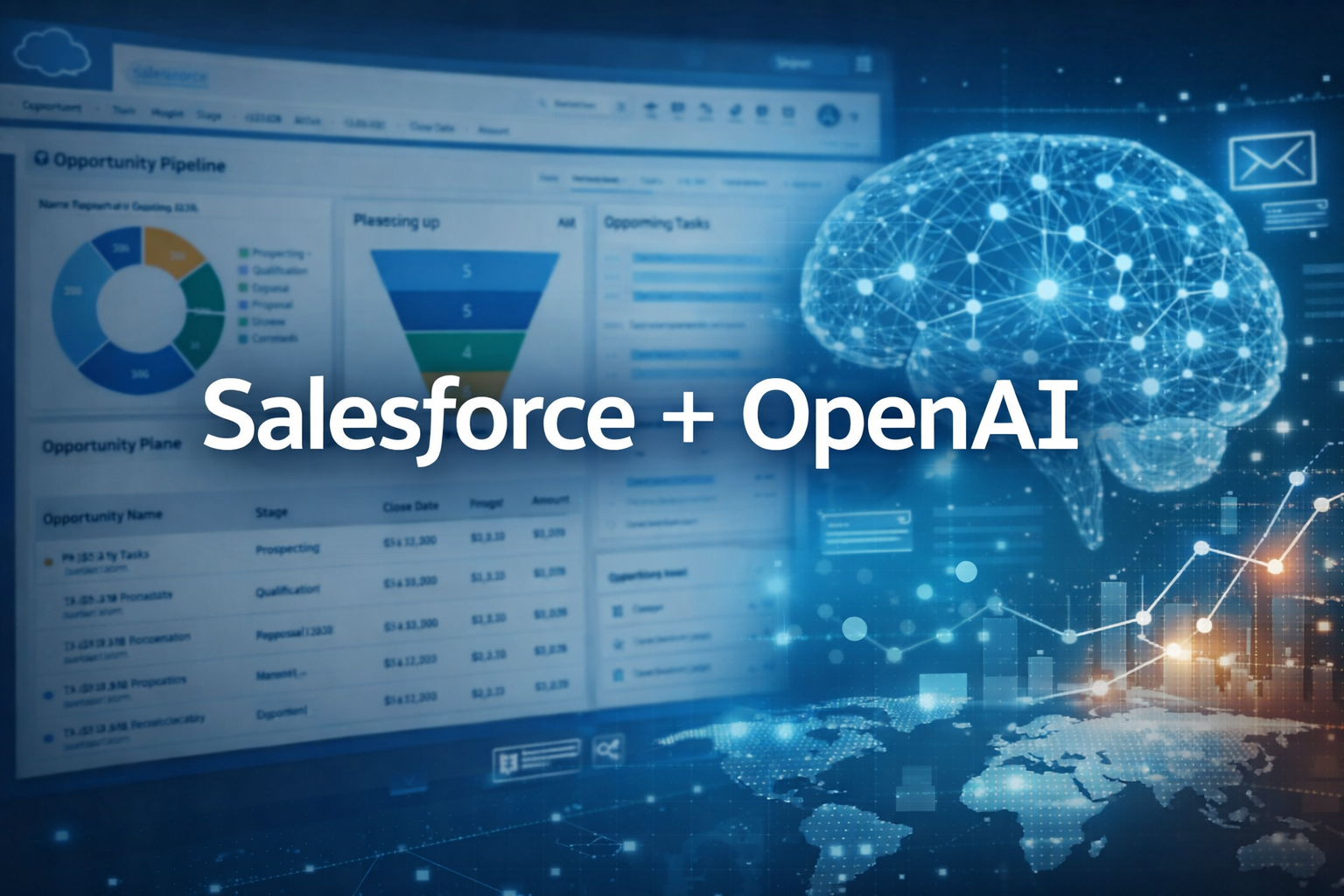
How to Build an AI-Powered Sales Assistant Using Salesforce + OpenAI

How to Build an AI-Powered Sales Assistant Using Salesforce + OpenAI

In 2026, sales is no longer just about pipelines and follow-ups — it’s about intelligence, automation, and personalization at scale. Businesses that leverage AI inside their CRM are closing deals faster, reducing manual effort, and improving forecast accuracy.

In this blog, we’ll walk through a step-by-step technical and strategic guide on how to build an AI-powered Sales Assistant using Salesforce and OpenAI — covering architecture, use cases, implementation flow, and best practices.


🚀 Why Combine Salesforce + OpenAI?

https://d3nqfz2gm66yqg.cloudfront.net/images/20230426142223/Image-3.png

Salesforce = System of Record

Salesforce stores:

  • Leads
  • Opportunities
  • Accounts
  • Contacts
  • Activities
  • Forecasts

OpenAI = System of Intelligence

OpenAI provides:

  • Natural language processing
  • Content generation
  • Conversation analysis
  • Predictive insights
  • Decision support

Together, they create a real-time AI Sales Co-Pilot.


What Can an AI Sales Assistant Do?

Before building, define what your AI assistant should achieve.

Core Use Cases:

  1. Lead qualification scoring
  2. Smart email drafting
  3. Meeting summarization
  4. Opportunity risk detection
  5. Sales forecasting insights
  6. Objection handling suggestions
  7. Follow-up reminders
  8. CRM data auto-entry
  9. Conversation sentiment analysis
  10. Cross-sell / upsell recommendations

High-Level Architecture

https://d2908q01vomqb2.cloudfront.net/fc074d501302eb2b93e2554793fcaf50b3bf7291/2021/03/11/Arch-Diagram1.png

4

Core Components:

  1. Salesforce CRM
    • Sales Cloud
    • Apex
    • Lightning Web Components (LWC)
    • Flow Builder
  2. OpenAI API
    • GPT models
    • Embeddings
    • Assistants API (optional)
  3. Middleware (Optional but Recommended)
    • Node.js / Python microservice
    • AWS Lambda / Azure Functions
    • Authentication layer
  4. Database (Optional)
    • Vector database (Pinecone / Weaviate / FAISS)
    • For knowledge retrieval (RAG architecture)

Step-by-Step: Building the AI Sales Assistant


Step 1: Define the Business Logic

Start with a single high-impact use case.

Example:

“Generate personalized follow-up email for opportunities stuck in Stage 2 for 14+ days.”

Define:

  • Trigger condition
  • Input data fields
  • Output format
  • Where output appears in Salesforce

Step 2: Connect Salesforce to OpenAI

Option A: Direct Call from Apex (Simple Use Case)

Salesforce → Apex HTTP Callout → OpenAI API → Response → Update record

Basic flow:

  1. Create Named Credential in Salesforce
  2. Write Apex class for HTTP callout
  3. Send structured prompt
  4. Parse JSON response
  5. Update Opportunity record

Option B: Middleware Architecture (Recommended for Scale)

Salesforce → Middleware API → OpenAI → Response → Salesforce

Benefits:

  • Better security
  • Logging
  • Rate limit control
  • Prompt versioning
  • Model switching
  • Cost monitoring

Step 3: Prompt Engineering Strategy

AI is only as good as your prompts.

❌ Weak Prompt:

“Write a sales email”

Strong Prompt:

You are an enterprise B2B SaaS sales expert.Opportunity Details:
- Company: ABC Logistics
- Industry: Supply Chain
- Deal Size: $120,000
- Stage: Proposal Sent
- Pain Point: Inventory visibility issues
- Last Interaction: 10 days agoWrite a concise follow-up email that:
- Reinforces ROI
- Addresses hesitation
- Suggests next step
- Keeps tone professional

Structured prompts = consistent output.


Step 4: Build Lightning UI Component

Create an AI Assistant Panel inside Salesforce:

Features:

  • “Generate Email” button
  • “Summarize Activity” button
  • “Analyze Risk” button
  • Text area for AI response
  • Regenerate option

Use:

  • Lightning Web Components (LWC)
  • Apex controller

This keeps the AI embedded inside user workflow.


Step 5: Add Lead Scoring with AI

Instead of rule-based scoring:

Use OpenAI to analyze:

  • Lead description
  • Website
  • Industry
  • Budget mention
  • Engagement behavior

Return:

  • Qualification Score (0–100)
  • Reasoning
  • Suggested next action

Step 6: Add AI Meeting Summaries

Flow:

  1. Upload transcript from Zoom
  2. Send to OpenAI
  3. Return:
    • Key points
    • Action items
    • Sentiment
    • Objections raised

Automatically:

  • Create Task records
  • Update Opportunity notes
  • Tag risk signals

Step 7: Implement RAG for Product Knowledge

https://images.openai.com/static-rsc-3/e29GmmkEY0cgOZsAnufxLmitXMLQ9zsYJzM69qWPdjjcbFBGxSZkzAbw8gjL97nQ27-L9POSzau1wWpQ5Qe10Uy_WNHmUYvc6cHnSDlNlgU?purpose=fullsize&v=1

If you want your AI to:

  • Answer product questions
  • Suggest pricing strategies
  • Handle objections accurately

Use Retrieval-Augmented Generation (RAG):

Process:

  1. Convert product docs into embeddings
  2. Store in vector DB
  3. On query:
    • Retrieve relevant chunks
    • Send to OpenAI
    • Generate grounded answer

This prevents hallucinations.


Security & Compliance Considerations

Very important for enterprises.

Best Practices:

  • Never send full CRM database
  • Mask PII where required
  • Use field-level filtering
  • Log API calls
  • Add rate limiting
  • Use environment variables for API keys
  • Monitor token usage
  • Implement approval workflow for AI-generated content

Cost Optimization Strategy

AI cost depends on:

  • Tokens
  • Model type
  • Frequency

Reduce Cost By:

  • Using smaller models where possible
  • Trimming unnecessary CRM fields
  • Caching common outputs
  • Using embeddings instead of repeated long prompts
  • Batch processing for analysis

Advanced Features to Add

Once MVP is ready:

  1. Voice-enabled assistant
  2. Slack + Salesforce AI bot
  3. AI-powered deal health dashboard
  4. Auto call transcription
  5. Predictive close probability
  6. AI sales coaching insights
  7. Real-time objection suggestion during live calls
  8. Forecast anomaly detection

Impact of AI Sales Assistant

Companies typically see:

  • 25–40% reduction in manual CRM updates
  • 30% faster follow-ups
  • 18–25% improvement in conversion rates
  • Improved sales rep productivity
  • Better pipeline forecasting accuracy

Tech Stack Example

  • Salesforce Sales Cloud
  • Apex + LWC
  • Node.js middleware
  • OpenAI GPT model
  • Pinecone vector database
  • AWS Lambda
  • S3 for transcript storage

Example End-to-End Workflow

  1. Rep clicks “Analyze Opportunity”
  2. Salesforce sends data to middleware
  3. Middleware formats prompt
  4. OpenAI analyzes:
    • Engagement gap
    • Risk signals
    • Buyer sentiment
  5. AI returns:
    • Risk score
    • Recommended next step
    • Email draft
  6. Salesforce updates record
  7. Rep reviews & sends

Total time saved: 15–20 minutes per opportunity.


Common Mistakes to Avoid

❌ Over-automating too early
❌ Sending unstructured CRM data
❌ Ignoring compliance
❌ Not monitoring token usage
❌ No human-in-the-loop review
❌ Poor prompt engineering


🏁 Final Thoughts

An AI-powered Sales Assistant isn’t just a feature — it becomes a competitive advantage.

When you combine:

  • Salesforce as your system of record
  • OpenAI as your intelligence layer
  • Proper architecture + prompt engineering

You create a scalable AI co-pilot that:

✔ Reduces manual work
✔ Increases sales velocity
✔ Improves forecasting accuracy
✔ Drives revenue growth


Ready to Build Your AI Sales Assistant?

If you’re planning to integrate AI inside Salesforce and want an enterprise-ready architecture with RAG, secure APIs, and scalable deployment — start with a focused MVP and scale from there.

AI in CRM is no longer optional — it’s the new sales standard in 2026.

Salesforce Consulting in Dubai: How to Level Up Customer Experience (2025 Guide)

Salesforce Consulting in Dubai: How to Level Up Customer Experience (2025 Guide)

Dubai’s business scene moves fast. Customers expect quick, personal, and smooth interactions every time. That’s where Salesforce consulting in Dubai steps in. With the right Salesforce setup, businesses can tidy up their processes, automate how they talk to customers, and build journeys that actually feel personal.

A skilled Salesforce consultant in Dubai helps companies connect the dots between email, mobile, social, and web. So when a customer reaches out, no matter how, the experience feels connected and on-point.

Why Customer Experience Really Matters in Dubai

Let’s be honest—people in Dubai have options, and they don’t stick around for bad service. A great customer experience does a lot:

It earns trust and keeps customers coming back.
It gets people engaged wherever they find you.
It stops customers from drifting away.
It gives your brand a solid reputation.
It drives up sales and conversions.
Salesforce gives businesses a clear look at what customers want, helps them react quickly, and keeps every touchpoint feeling consistent.

How Salesforce Makes Customer Experience Better

  1. One-Stop Customer Profiles

Salesforce lets you see the full picture of every customer—stuff like what they’ve bought, how they’ve used your site, tickets they’ve submitted, and what they like. A Salesforce consulting partner in Dubai sets this up so you get insights that actually help you act.

  1. Automation With Journey Builder

Why waste time on manual tasks? Salesforce can handle things like welcome emails, reminders, post-purchase check-ins, and loyalty messages automatically. That way, customers hear from you right when they need to, and your team can focus on the big stuff.

  1. Marketing Across Every Channel

No more single-channel marketing. With Salesforce, you can run email campaigns, send SMS updates, push notifications, and connect on social—all at once. Salesforce consultants in Dubai make sure these channels work together, so your messaging never feels disjointed.

  1. Personalization With AI & Analytics

Salesforce uses AI to get ahead of what customers want. Think product recommendations, custom offers, campaigns based on real behavior, and forecasts for engagement. A Salesforce developer in Dubai can tailor all these smart features to fit your business.

  1. Real-Time Insights

Salesforce dashboards show you what’s happening now—campaign results, customer engagement, support response times, and how your sales pipeline looks. You don’t have to wait for a monthly report to react.

What’s In It For Dubai Businesses?

You get to personalize at scale, keep customers engaged everywhere, automate the boring stuff, make smarter decisions, and respond faster. When you bring in a local Salesforce consultant, they’ll tweak everything to fit just right and make sure you get the most out of your investment.

Why Work With Salesforce Experts in Dubai?

A Salesforce consulting partner here knows the market and the tech. They’ll handle setup, data integration, custom tweaks, automation, and even train your staff. Everything goes smoother, and your team sees results that actually show up in your customer experience.

Want a deeper dive into automation and multi-channel campaigns? Link over to your post on Salesforce Marketing Cloud implementation.

FAQs

  1. How does Salesforce improve customer experience in Dubai?
    Simple—by automating how you talk to customers, pulling all your data together, and building personal journeys for everyone.
  2. Do I need a Salesforce consultant for implementation?
    Absolutely. A Dubai-based consultant gets your system set up right, connects your data, and customizes everything for your needs.
  3. Can Salesforce handle marketing on different channels?
    Yes. Email, mobile, social, web—you can bring it all together for one consistent message.
  4. What does a Salesforce developer do in Dubai?
    They build out your dashboards, set up automated workflows, and add smart AI features that fit your business.
  5. Is Salesforce good for small and medium businesses?
    Definitely. It’s flexible, scales up or down, and helps businesses of any size keep customers happy and engaged.