Looking for a way to get ahead in Sydney’s business scene? These days, companies across Australia are jumping on Salesforce consulting to shake up how they work and connect with customers. With the right Salesforce consultant in your corner, you can squeeze every bit of value out of Salesforce CRM—automate those sales tasks, dig deeper into analytics, and give customers a truly personalized experience.
Why Salesforce Consulting Is a Big Deal in Sydney
Sydney’s business world moves fast. Think finance, healthcare, retail, real estate—everyone’s hustling to stay ahead. That’s where a good Salesforce consultant comes in. They don’t just roll out a cookie-cutter setup. Instead, they tailor every solution to fit your goals. Suddenly, you’re handling leads better, your workflows make sense, and your team connects with customers in smarter ways, all powered by data and automation.
A solid consulting partner doesn’t just set up Salesforce and disappear. They make sure it fits right in with your other tools and systems. Everything works together, all your customer info’s in one place, and you get clear insights to make better calls.
What Sets Top Salesforce Partners in Sydney Apart
Industry Know-How Great partners get your business. Whether you’re running a retail shop or a SaaS company, they build a CRM plan that actually works for you—not just some template.
Certified Developers Who Know Their Stuff You want developers who can tweak Salesforce so it fits you perfectly. Dashboards, features, workflows—they customize it all so Salesforce feels like it was built for your team.
Support That Doesn’t End After Setup Let’s be real, launching Salesforce is only step one. The best partners stick around with training, ongoing advice, and tech support so your people stay sharp and your system runs smoothly.
Real Results You’re not just after shiny new software—you want to see real gains. Faster lead conversions, happier customers, more revenue. A good consulting partner makes sure you get there.
How Sydney Businesses Win with Salesforce
Everything about your customers, all in one spot.
Real-time analytics and dashboards that actually help you make decisions.
Teams working together easily, thanks to cloud-based CRM.
Salesforce grows with you, no matter how fast your business takes off.
How to Pick the Right Salesforce Consulting Partner in Sydney
Here’s what to look for:
A solid track record with Salesforce projects.
Certified developers and admins on the team.
Happy clients and real case studies.
Commitment to stick with you for the long haul.
Choose a team with real experience, and you’ll get the most out of Salesforce—from day one through every new challenge.
Wrapping Up
The right Salesforce consulting partner in Sydney can change the game for your business in 2025. Whether you’re just getting started or ready to level up your CRM, trust a proven partner to help you work smarter, automate more, and stay ahead of the curve.
When businesses consider Salesforce as their go-to CRM platform, one of the first decisions they face is choosing the right Salesforce edition. Each edition offers a unique set of features, customization capabilities, and pricing structures tailored to different business sizes and needs. Picking the right edition isn’t just about affordability—it’s about aligning your business requirements with the tools and scalability Salesforce provides.
In this blog, we’ll break down the different Salesforce editions, what they offer, and how you can decide which one fits your business best.
Why Salesforce Offers Multiple Editions
Salesforce is used by startups, small businesses, mid-market companies, and global enterprises alike. A one-size-fits-all model wouldn’t work, so Salesforce has introduced multiple editions. This tiered system ensures businesses can choose a CRM package that grows with them while avoiding unnecessary costs for features they don’t yet need.
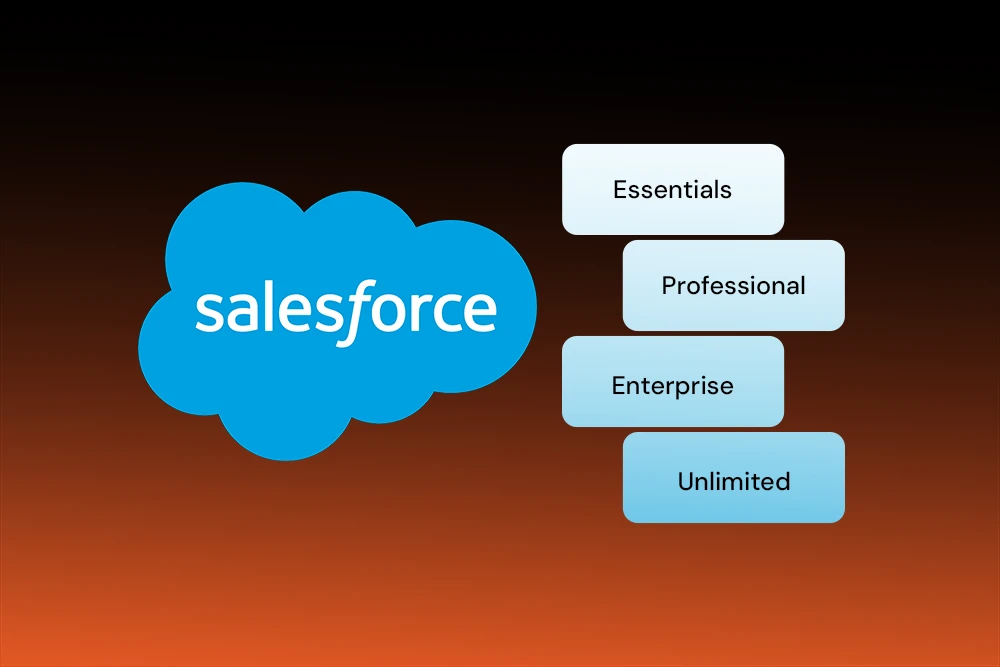
The Main Salesforce Editions
1. Salesforce Essentials
Best for: Startups and small businesses (1–10 users).
Overview: Essentials is Salesforce’s entry-level edition. It’s designed for small teams looking to manage leads, opportunities, and customer service without complexity.
Key Features:
Out-of-the-box CRM setup
Lead, account, contact, and opportunity management
Email integration with Gmail/Outlook
Mobile app access
Trailhead and in-app guidance for easy onboarding
Limitations: Minimal customization, limited automation, and fewer integrations.
Why choose Essentials? If you’re just getting started and need a simple, cost-effective way to manage customer relationships, Essentials provides everything you need without overwhelming your team.
2. Salesforce Professional
Best for: Growing businesses needing advanced CRM capabilities.
Overview: Professional offers more robust CRM tools than Essentials, making it a popular choice for companies scaling operations.
Key Features:
Sales forecasting tools
Campaign management for marketing
More advanced reporting and dashboards
Lead scoring and assignment rules
Basic workflow automation
Limitations: Limited custom coding options, lacks some advanced automation, and doesn’t support API access out-of-the-box (important for integrations).
Why choose Professional? This edition is ideal for businesses moving beyond the basics, needing more structure and automation for sales pipelines and marketing efforts.
3. Salesforce Enterprise
Best for: Mid-sized to large companies with complex business processes.
Overview: Enterprise is the most widely adopted edition because it offers deep customization, automation, and scalability.
Key Features:
Advanced workflow and process automation
Role-based access and advanced security
Unlimited custom applications and tabs
API access for integrations with other systems
Customizable sales processes
Territory management
Limitations: Costs more than Professional and may require certified Salesforce consultants or developers to set up effectively.
Why choose Enterprise? If your organization needs advanced customization, third-party integrations, and scalability for multiple teams or regions, Enterprise gives you the flexibility and control you need.
4. Salesforce Unlimited
Best for: Large enterprises needing maximum power, customization, and support.
Overview: As the name suggests, Unlimited offers nearly everything Salesforce has to offer, including premium support and advanced tools.
Key Features:
Unlimited custom applications and data storage
Premier support with 24/7 access
Access to Salesforce Success Programs
Advanced analytics and AI features (Einstein AI)
Sandbox environments for testing and development
Limitations: Cost is significantly higher, making it best suited for enterprises with large CRM budgets.
Why choose Unlimited? For global enterprises that need enterprise-grade scalability, high-touch support, and access to cutting-edge AI and analytics, Unlimited is the ultimate package.
5. Salesforce Developer Edition
Best for: Developers, learners, and small teams testing Salesforce capabilities.
Overview: This free edition is primarily designed for developers and learners to explore Salesforce’s capabilities.
Key Features:
Access to most features from Enterprise edition (but limited in scale)
APIs for integration testing
App development and testing environment
Limitations: Limited storage and users, not designed for production.
Why choose Developer Edition? If you’re a developer or a company evaluating Salesforce, this edition provides a safe space to test, build, and learn without financial investment.
Choosing the Right Edition: Key Considerations
When selecting the right Salesforce edition, consider the following factors:
Business Size & Growth Plans
Are you a small startup planning rapid growth, or an established enterprise with complex structures?
Budget
Essentials and Professional are cost-friendly, while Enterprise and Unlimited cater to businesses willing to invest heavily in CRM capabilities.
Customization Needs
Do you need pre-built workflows, or do you require tailored processes with heavy integration?
Integration Requirements
If your business relies on integrating Salesforce with ERP, HR, or marketing automation tools, Professional might fall short. Enterprise or Unlimited editions are more suitable.
Support & Training
Consider whether you need premium, round-the-clock support. Larger organizations usually benefit from Unlimited.
Quick Comparison Table
Edition
Best For
Key Features
Limitations
Essentials
Startups & small biz
Basic CRM, email integration, mobile access
Limited customization
Professional
Growing businesses
Sales forecasting, campaigns, dashboards
No API by default
Enterprise
Mid-large companies
Advanced automation, API access, integrations
Higher cost, complex
Unlimited
Global enterprises
Unlimited apps, AI, 24/7 support, sandboxes
Premium pricing
Developer
Developers/learners
App dev, APIs, testing environment
Not for production use
Final Thoughts
Choosing the right Salesforce edition is crucial for maximizing your CRM investment. Startups often find value in Essentials or Professional, while larger and growing businesses typically lean toward Enterprise. Global corporations with extensive needs may choose Unlimited for maximum flexibility and support.
The best approach is to carefully map your business goals, processes, and integration requirements to what each edition offers. Consulting with a Salesforce implementation partner can also help you make an informed decision and ensure a smooth setup tailored to your needs.
👉 Which Salesforce edition is your business using—or planning to adopt? Share your thoughts and experiences in the comments below!
Modern enterprises increasingly deploy autonomous AI agents across diverse domains—sales, support, supply chain, HR—to automate specialized tasks. However, this proliferation brings a crucial challenge: interoperability. Without a universal communication standard, agents remain siloed in proprietary systems, limiting collaboration and adding costly integration overhead. A unified protocol is essential to enable agents from different vendors or runtime environments to discover, delegate, negotiate, and execute tasks together seamlessly.The Wall Street Journal Salesforce
Introducing the A2A Protocol: A Universal Language for Agents
Developed by Google in collaboration with over 50 partners like Salesforce, SAP, Atlassian, MongoDB, PayPal, the Agent-to-Agent (A2A) Protocol is an open standard for AI-agent interoperability, often described as “HTTP for AI agents.” Launched at Google Cloud Next 2025, A2A enables secure, cross-vendor communication and coordination among heterogeneous agents.Google Cloud+1IT ProMarqOpsAI2SQL
Core Pillars of A2A
Capability Discovery: Agents advertise their functionalities through standardized metadata—“Agent Cards”—which encapsulate identity, capabilities, compliance tags, and trust scores. Originally championed by Salesforce, this concept is now a keystone in A2A.Salesforce+1MarqOps
Task Lifecycle Management: A2A employs a formal task model—agents initiate and manage tasks through messages like message/send or message/stream. Streaming tasks use Server-Sent Events (SSE) for real-time updates, while synchronous tasks use polling or direct callbacks. Agents can also handle inputs, status updates, artifacts, and cancellations through defined lifecycle events.Google Developer forumsGoogle Cloud Community
Technological Foundation: Built on enterprise-standard protocols—HTTPS, JSON-RPC 2.0, and SSE—A2A is designed for secure, scalable integration with minimal developer friction.Google Cloud CommunityMarqOps
Security, Governance & Open Ecosystem: Emphasizing enterprise readiness, A2A supports robust authentication/authorization (OAuth, API keys, mutual TLS) and is governed under the Linux Foundation with Salesforce actively contributing to its evolution.LinkedInSalesforce+2Salesforce+2
Agentforce: Salesforce’s adaptive AI agent platform, which uses Agent Cards for discovery and is built for autonomy, context-awareness, and deep integration within the Salesforce ecosystem.RedditSalesforce+1
Model Context Protocol (MCP): Different from A2A, MCP handles tool and data access within an agent. Salesforce embeds MCP client functionality into Agentforce—nicknamed the “USB-C for AI”—making it easier to connect agents to external APIs and data services.SalesforcearXiv
AgentExchange: A marketplace enabling developers to discover trusted, third-party agent services and MCP endpoints, accelerating connectivity across disparate systems.Salesforce
Why A2A Matters: Benefits & Real-World Impact
Cross-Vendor Collaboration: A2A breaks down barriers between agents built by different providers—Google, Salesforce, SAP, ServiceNow, etc.—unlocking more cohesive workflows.The Wall Street JournalMarqOps
Scalability & Flexibility: Developers can build specialized agents independently and compose them dynamically at runtime—no brittle glue code needed.Google Developer forumsAI2SQL
Governance & Trust: Unified frameworks for identity, access control, and observability ensure compliance and accountability across agent interactions.Salesforce+1
Enterprise Adoption: Early adopters include Tyson Foods and Gordon Food Service tackling supply chain use cases; ServiceNow, Adobe, S&P Global, and Twilio are embedding A2A into their agent systems.Google Cloud+1
Challenges & the Research Horizon
The A2A ecosystem is nascent, and several research efforts are navigating its complexity:
Protocol Synergy: Integrating A2A with MCP can introduce semantic mismatches, governance challenges, and interdependence risks.arXiv
Data Security Concerns: Handling sensitive data like payments or identification needs enhancements—short-lived tokens, consent flows, granular scopes—to align with regulation and trust.arXiv
Resilient Trust Frameworks: New work like BlockA2A proposes decentralized identifiers, blockchain-based auditing, and smart-contract-driven policies to ensure authenticity, accountability, and defense against adversarial agents—all while preserving performance.arXiv
Final Thoughts: A2A’s Progress and Promise
The introduction of the A2A protocol marks a foundational shift toward a more interconnected, reliable, and dynamic ecosystem of AI agents. With the combined support of industry leaders like Google and Salesforce—and its growing open ecosystem—A2A stands to become a unifying framework for digital autonomy.
However, realizing its full potential hinges on secure governance, semantic clarity, and scalability, addressed through continued innovation and thoughtful standards development.