

The Cost of iOS App Development: What Startups Should Know

The Cost of iOS App Development: What Startups Should Know

For ambitious startups, an iOS app can be the gateway to a lucrative market, tapping into Apple’s engaged user base and premium ecosystem. However, the question that quickly arises is: “How much will it cost?” The truth is, there’s no single answer. iOS app development costs can vary wildly, from a few thousand to hundreds of thousands of dollars, depending on a multitude of factors. For startups, understanding these variables is crucial for effective budgeting and strategic planning.

Deconstructing the Price Tag: Key Factors Influencing iOS App Development Costs

Several core elements contribute to the overall expenditure of bringing an iOS app to life:

  1. App Complexity and Features: This is arguably the most significant cost driver. A simple app with basic functionalities (e.g., a calculator or a static content app) will naturally cost far less than a complex application with advanced features like:
    • User authentication (login/signup): Adds security and personalized experiences.
    • Third-party integrations: Payment gateways (Stripe, PayPal), social media logins, mapping services (Google Maps), analytics tools.
    • Real-time functionalities: Chat, live tracking, push notifications.
    • Custom UI/UX design and animations: A polished, intuitive, and visually appealing interface requires more design hours.
    • Backend infrastructure: Databases, APIs, cloud storage, server-side logic for data handling.
    • AI/ML integration, AR/VR features: These cutting-edge technologies significantly increase complexity and cost.
    Basic apps might range from $10,000 to $50,000, while mid-level apps can fall between $30,000 and $150,000. Complex, enterprise-level applications often exceed $200,000, potentially reaching $500,000+.
  2. UI/UX Design: A well-crafted user interface (UI) and user experience (UX) are paramount for iOS apps. This involves user research, wireframing, prototyping, visual design, and ensuring accessibility. Expect design costs to be a significant portion, potentially 10-35% of the total budget. Intricate animations and custom branding will further elevate these costs.
  3. Development Team Location and Expertise: This factor dramatically impacts hourly rates.
    • North America/Western Europe (including Sydney): Rates are typically higher, ranging from $80-$250+ per hour. A mobile app development company in Sydney or a mobile app developer in Sydney will generally charge at the higher end of the spectrum due to the higher cost of living and strong local demand for skilled professionals.
    • Eastern Europe/Asia (e.g., India): Rates can be significantly lower, from $20-$80 per hour.
    While offshore development can offer cost savings, startups should weigh this against potential communication challenges and time zone differences. For those seeking a reliable and experienced app development company in Sydney or dedicated mobile app developers in Sydney, the investment often translates into better communication, local market understanding, and easier collaboration.
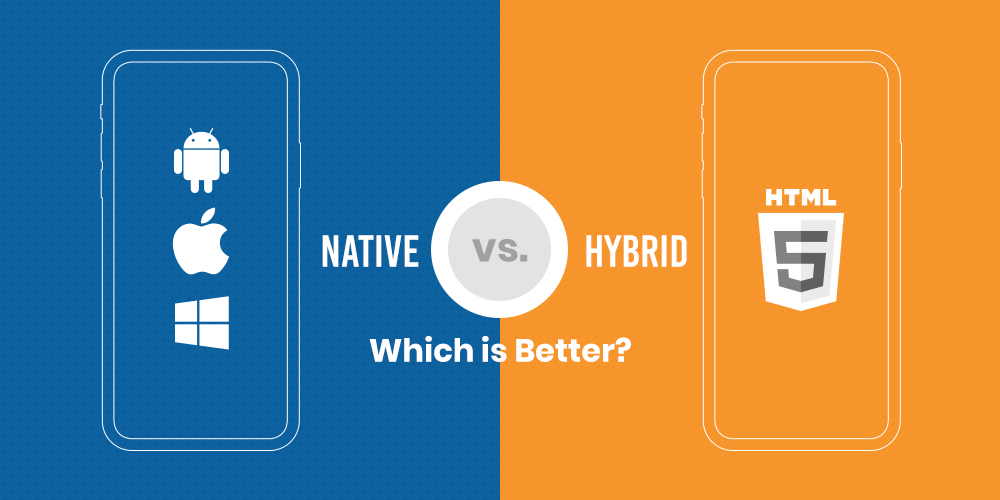
  4. Development Approach (Native vs. Cross-Platform):
    • Native iOS Development (Swift/Objective-C): Offers the best performance, user experience, and access to all device features. However, it’s typically more expensive as it requires a dedicated iOS codebase.
    • Cross-Platform Development (Flutter, React Native): Allows a single codebase for both iOS and Android, potentially reducing development time and cost by 30-50%. While it offers a faster time to market and cost-effectiveness, some native functionalities or highly complex animations might be limited.
  5. Post-Launch Maintenance and Support: The journey doesn’t end at launch. Ongoing costs include:
    • Bug fixes and performance optimization: Essential for a smooth user experience.
    • OS compatibility updates: Ensuring the app works seamlessly with new iOS versions.
    • Security patches: Protecting user data and maintaining app integrity.
    • Feature enhancements and updates: Keeping the app competitive and relevant.
    • App Store fees: An annual Apple Developer Program membership costs $99. Apple also takes a commission (15-30%) on in-app purchases.
    Budgeting an additional 15-20% of the initial development cost annually for maintenance is a wise practice.

Average iOS App Development Costs in Sydney

For startups specifically looking at app developer in Sydney or a mobile app development company in Sydney, here’s a general cost breakdown based on complexity:

  • Simple Apps (3-5 screens, basic functionality, no complex backend): AUD $30,000 – $60,000
  • Medium Complexity Apps (user profiles, data storage, third-party integrations, some custom UI): AUD $60,000 – $150,000
  • Complex/Enterprise-Level Apps (real-time features, AI/ML, intricate UI, robust backend, multiple integrations): AUD $150,000 – $500,000+

These figures can vary based on the specific agency, their team’s experience, and their project management methodologies.

Strategies for Startups to Manage iOS App Development Costs

  1. Define Your MVP (Minimum Viable Product): Focus on core functionalities that solve a critical user problem. Launching an MVP allows you to validate your idea, gather user feedback, and iterate, saving significant costs by avoiding unnecessary features in the initial phase.
  2. Prioritize Features ruthlessly: Not every “nice-to-have” feature needs to be in version 1.0. A phased approach allows you to spread out costs and build upon a solid foundation.
  3. Thorough Planning and Discovery: Invest time in detailed requirements gathering and wireframing. A clear scope prevents costly changes and rework during development.
  4. Consider Hybrid Development (Initially): If reaching both iOS and Android users quickly and cost-effectively is a priority, a cross-platform framework can be a good starting point. You can always opt for native development later if performance demands it.
  5. Seek Transparent Pricing: When engaging with an app development company in Sydney, ensure they provide a detailed breakdown of costs, including design, development, testing, and post-launch support.
  6. Review Portfolios and Testimonials: When choosing between mobile app developers in Sydney, look at their past work and client reviews to ensure they align with your vision and budget.

Conclusion

Developing an iOS app is a significant investment for any startup, but a well-planned approach can make it a manageable and rewarding endeavor. By understanding the factors influencing costs, focusing on an MVP, and strategically choosing the right mobile app development company in Sydney, startups can navigate the financial landscape effectively and build an app that truly stands out in the competitive App Store.

Choosing the Right Stack: Native, Hybrid, or PWA for Your Next Mobile App?

Choosing the Right Stack: Native, Hybrid, or PWA for Your Next Mobile App?

Developing a mobile app is an exciting venture, but before you write a single line of code, you need to answer a fundamental question: what technology stack will power your application? The landscape of mobile development offers three primary avenues: Native, Hybrid, and Progressive Web Apps (PWAs). Each approach brings a unique set of advantages and disadvantages to the table, and understanding them is key to building a successful app.

1. Native Apps: The Powerhouses of Performance and Experience

What they are: Native apps are built specifically for a particular mobile operating system (OS) using its dedicated programming languages and tools. For iOS, this means Swift or Objective-C and Xcode. For Android, it’s Kotlin or Java and Android Studio.

Pros:

  • Unrivaled Performance and Responsiveness: Native apps are optimized for their respective platforms, offering the fastest performance and most fluid user experience. They can leverage all device features without any intermediary layers.
  • Full Access to Device Features: From GPS and camera to NFC and advanced gestures, native apps have direct and comprehensive access to all hardware and software capabilities of the device.
  • Superior User Experience (UX): They adhere perfectly to platform-specific UI/UX guidelines, providing a consistent and intuitive experience that users expect from their device.
  • Robust Security: Native development often allows for stronger security implementations due to direct access to platform security features.
  • Best for Complex Applications: If your app requires heavy graphics, intensive processing, or intricate animations (e.g., gaming apps, complex photo/video editors), native is usually the best choice.

Cons:

  • Higher Development Cost and Time: You’ll need to develop and maintain separate codebases for iOS and Android, effectively doubling your development effort and cost.
  • Larger Teams (Often): Requires developers proficient in both iOS and Android native development, potentially leading to larger or specialized teams.
  • Slower Updates: Deploying updates for two separate apps can be more time-consuming.

When to Choose Native:

  • Your app demands peak performance and responsiveness.
  • Your app heavily relies on specific device features (e.g., augmented reality, complex sensors).
  • You prioritize delivering the absolute best, most integrated user experience on each platform.
  • Budget and time are less restrictive, or the app’s success hinges on its premium feel.

2. Hybrid Apps: The Cross-Platform Compromise

What they are: Hybrid apps are essentially web applications wrapped in a native container. They are built using web technologies like HTML, CSS, and JavaScript, and then deployed to app stores using frameworks like React Native, Flutter, Ionic, or Xamarin.

Pros:

  • Code Reusability: Write once, run on multiple platforms (iOS and Android), significantly reducing development time and cost.
  • Faster Development: A single codebase means quicker iterations and faster deployment.
  • Lower Development Cost: Requires fewer developers (or a smaller team) as web developers can often transition to hybrid development.
  • Broader Audience Reach: Simultaneously target both iOS and Android users with a single development effort.
  • Access to Device Features (with limitations): Hybrid frameworks provide APIs to access most common device features, though sometimes with performance overhead compared to native.

Cons:

  • Performance Can Be Inferior: While much improved, hybrid apps might not match the buttery-smooth performance of native apps, especially for graphically intensive or animation-heavy applications.
  • Limited Access to Cutting-Edge Features: New device features or OS updates might not be immediately available through hybrid frameworks, requiring a waiting period for framework updates.
  • Dependency on Frameworks: You are reliant on the chosen framework and its community for updates, bug fixes, and feature support.
  • “Native Feel” Can Be Lacking: Achieving a truly native look and feel can be challenging, and some UI elements might not behave exactly as native users expect.
  • Debugging Can Be Complex: Debugging issues that span both the web view and native layers can be more intricate.

When to Choose Hybrid:

  • You need to launch quickly on both iOS and Android with a limited budget.
  • Your app doesn’t require heavy graphics or extensive device-specific functionalities.
  • Your primary goal is to reach a wide audience with a consistent experience across platforms.
  • You have a team with strong web development skills.
  • Examples: Standard content-driven apps, e-commerce apps, social media apps (where performance isn’t the absolute top priority).

3. Progressive Web Apps (PWAs): The Best of Web and Mobile

What they are: PWAs are web applications that leverage modern browser capabilities to deliver an app-like experience directly through the web browser. They can be “installed” to the home screen, work offline, send push notifications, and offer a fast, reliable, and engaging user experience. They don’t require an app store download.

Pros:

  • No App Store Submission: Users can access your app directly via a URL, eliminating the friction of app store downloads and approval processes.
  • Instant Updates: Updates are delivered instantly when users access the PWA, without requiring them to download a new version.
  • Offline Capabilities: Service Workers enable caching and offline functionality, providing a seamless experience even without an internet connection.
  • Cost-Effective: Single codebase development (like hybrid) means lower development and maintenance costs.
  • Discoverability: Being web-based, PWAs are discoverable by search engines, potentially increasing your reach.
  • Cross-Platform by Nature: Works on any device with a compatible web browser.
  • Lightweight: Typically have a smaller footprint than native or hybrid apps.

Cons:

  • Limited Device Feature Access: While constantly improving, PWAs still have more limited access to advanced device hardware compared to native or even some hybrid apps.
  • Less “Native Feel”: The UI/UX might not perfectly align with native platform guidelines.
  • No App Store Presence: While a pro for easy access, it can be a con if you rely on app store discoverability and marketing channels.
  • Performance Can Vary: Performance is highly dependent on the user’s browser and device capabilities.
  • Monetization Challenges (Historically): While evolving, direct in-app purchases and certain monetization models can be more challenging compared to native apps.

When to Choose PWA:

  • You want to reach a wide audience without the friction of app store downloads.
  • Your app is primarily content-driven or serves as an extension of an existing website.
  • You prioritize fast loading times, offline access, and instant updates.
  • Your budget is restricted, and you want to maximize reach with a single codebase.
  • Examples: News websites, e-commerce stores, blogging platforms, event schedules, basic utility apps.

Making Your Decision: A Few Key Questions to Ask

To help narrow down your choices, consider these critical questions:

  1. What is your budget and timeline? (Native > Hybrid > PWA in terms of cost and time)
  2. What level of performance and responsiveness does your app require? (Native > Hybrid > PWA)
  3. How crucial is access to device-specific features (camera, GPS, NFC, AR/VR)? (Native > Hybrid > PWA)
  4. What kind of user experience do you want to deliver? (Native for platform-specific perfection, Hybrid for good enough, PWA for web-first convenience)
  5. How important is app store presence and discoverability through app stores? (Native/Hybrid for strong presence, PWA less so)
  6. What are your team’s existing skill sets? (Web skills lean towards Hybrid/PWA, platform-specific skills towards Native)
  7. How frequently do you plan to update your app? (PWA for instant, Hybrid for fast, Native can be slower)

Conclusion

There’s no universally “best” choice among Native, Hybrid, and PWA. The ideal stack for your next mobile app is the one that best aligns with your project’s unique goals, budget, timeline, desired performance, and target audience. Carefully evaluate your requirements against the strengths and weaknesses of each approach. By doing so, you’ll lay a solid foundation for a successful and impactful mobile application.

Building a Financial Future: Understanding MoneyLion and the Cost of Creating a Similar App

Building a Financial Future: Understanding MoneyLion and the Cost of Creating a Similar App

In today’s fast-paced world, managing finances effectively is crucial. MoneyLion has emerged as a popular financial technology platform, offering a range of services designed to empower users to make better financial decisions. But what exactly does MoneyLion do, why is it so popular, and what would it cost to build a similar cash advance app? Let’s dive in.

What is MoneyLion and Why is it Popular?

MoneyLion is a comprehensive financial platform that provides users with various tools and services through its mobile application. Its core offerings include:

  • Cash Advances (Instacash): This popular feature allows eligible users to access a portion of their paycheck early, providing a safety net for unexpected expenses. Advances can range from $25 to $500, depending on eligibility. There are options for instant transfers for a fee or free transfers that take a few business days.
  • Mobile Banking (RoarMoney): MoneyLion offers a checking account with features like getting paid up to two days early with direct deposit, cashback rewards, and the ability to round up purchases to save. It also provides access to a wide network of fee-free ATMs.
  • Personal Loans: Through its marketplace, MoneyLion connects users with various personal loan offers from partners, catering to different financial needs and credit profiles.
  • Credit Builder Loans: Designed to help users improve their credit scores, these loans are typically for smaller amounts with manageable repayment terms.
  • Investment Services: MoneyLion offers managed investment accounts and the option to invest spare change through round-ups.
  • Financial Tracking and Insights: The app provides tools for users to track their spending, set budgets, and gain insights into their financial habits.
  • Credit Monitoring: Users can access credit monitoring services to stay informed about changes to their credit reports.
  • Rewards Program (MoneyLion WOW): This program allows users to earn cashback and other rewards for making smart financial decisions and everyday spending.

Why is MoneyLion so popular? Several factors contribute to its widespread appeal:

  • Convenience and Accessibility: As a mobile-first platform, MoneyLion provides users with financial services at their fingertips, anytime and anywhere.
  • Comprehensive Suite of Services: By offering banking, borrowing, investing, and financial management tools in one app, MoneyLion simplifies users’ financial lives.
  • Focus on Financial Inclusion: MoneyLion aims to serve a broad range of consumers, including those who may be underserved by traditional financial institutions.
  • User-Friendly Interface: The app is designed to be intuitive and easy to navigate, making it accessible even for those who are not tech-savvy. 1   1. app-hider.en.greenxf.com app-hider.en.greenxf.com
  • Innovative Features: Features like Instacash and Credit Builder Loans address immediate financial needs and long-term financial health.
  • Personalization: MoneyLion leverages data analytics and AI to offer personalized financial advice and product recommendations.
  • Community and Education: The platform often provides financial literacy resources and fosters a sense of community among its users.

The Cost to Build a Cash Advance App Like MoneyLion

Developing a comprehensive cash advance and financial services app like MoneyLion involves significant investment. The exact cost can vary widely depending on several factors, including the complexity of features, the technology stack used, the size and location of the development team, and ongoing maintenance.

Here’s a breakdown of the estimated costs for different aspects of building such an app:

Development PhaseEstimated Cost Range (USD)
Market Research & Planning$2,000 – $10,000
UI/UX Design$5,000 – $30,000
Front-End Development (iOS & Android)$15,000 – $80,000
Back-End Development$20,000 – $100,000
Cash Advance Functionality$10,000 – $30,000
Budgeting Tools$5,000 – $20,000
Financial Insights$10,000 – $50,000+
Investment Features$20,000 – $100,000+
Security Features & Compliance$5,000 – $20,000
API Integrations (Banks, Credit Bureaus, Payment Gateways)$5,000 – $20,000+
Testing & Quality Assurance$3,000 – $10,000
Deployment & App Store Submission$200 – $500
Total Estimated Initial Cost$90,200 – $335,500+
Ongoing Maintenance (Annual)$7,500 – $18,000+

Key Factors Influencing the Cost:

  • Complexity of Features: The more features you integrate (e.g., cash advances, banking, investments, credit building, personalized insights), the higher the development cost.
  • Platform (iOS & Android): Developing native apps for both platforms will be more expensive than developing for a single platform or using cross-platform frameworks.
  • UI/UX Design: A user-friendly and intuitive design is crucial for a finance app, and more sophisticated designs will incur higher costs.
  • Back-End Infrastructure: Building a robust and secure back-end to handle user data, transactions, and integrations is a significant part of the cost.
  • API Integrations: Integrating with various third-party services (banks, payment processors, credit bureaus) adds to the complexity and cost.
  • Security and Compliance: Finance apps require stringent security measures and compliance with regulations like GDPR and CCPA, which can increase development efforts and costs.
  • AI Integration: Incorporating AI for personalized financial advice, risk assessment, and fraud detection will add to the cost.
  • Development Team: The size, expertise, and location of your development team will significantly impact the overall cost. Hiring experienced developers in regions with higher labor costs (e.g., the United States, Western Europe) will be more expensive than outsourcing to regions with lower rates (e.g., India, Eastern Europe).

Monetization Strategies:

Like MoneyLion, your cash advance app can adopt various monetization strategies:

  • Tips for Cash Advances: Charging users optional tips for the instant cash advance service.
  • Subscription Fees: Offering premium features or higher advance limits through a subscription model (like MoneyLion Plus).
  • Interchange Fees: Earning a small fee from debit card transactions if you offer a banking feature.
  • Affiliate Marketing: Partnering with other financial service providers and earning commissions for referrals.
  • Interest on Loans: If you offer personal or credit builder loans, interest will be a primary revenue source.
  • Late Payment Fees: Charging fees for missed loan or subscription payments.
  • Data Analysis and Insights: Offering anonymized data insights to other financial institutions (with careful consideration of privacy).

Conclusion:

MoneyLion’s popularity stems from its ability to provide a comprehensive and user-friendly platform that addresses various financial needs. Building a similar cash advance app requires a substantial investment, with costs potentially ranging from $90,000 to $335,000 or more for the initial development, and ongoing maintenance expenses. The key to success lies in carefully planning the features, prioritizing security and compliance, and choosing the right development team to bring your vision to life. By understanding the functionalities of MoneyLion and the associated development costs, entrepreneurs can make informed decisions about entering this dynamic market.