

Level Up Your Small Business: A Look at Salesforce

Level Up Your Small Business: A Look at Salesforce

For small business owners, every decision counts. You’re juggling multiple roles, managing tight budgets, and constantly looking for ways to grow and connect with your customers. In this dynamic environment, having the right tools can make all the difference. Enter Salesforce, a powerful platform often associated with large enterprises, but one that holds significant potential for small businesses as well.

This blog will explore the benefits of Salesforce for small businesses, delve into the cost considerations, and discuss potential future use cases.

Why Should Small Businesses Consider Salesforce? The Benefits

While the name “Salesforce” might conjure images of sprawling sales teams, the platform offers a suite of features that can be incredibly valuable for businesses of all sizes. Here are some key benefits for small businesses:

  • Enhanced Customer Relationship Management (CRM): At its core, Salesforce helps you understand and manage your interactions with customers and prospects. This includes tracking leads, managing contacts, logging communications, and gaining a holistic view of your customer relationships. Imagine having all your customer information in one easily accessible place, allowing you to personalize interactions and build stronger connections. For example, you can quickly see past interactions, purchase history, and any outstanding issues before reaching out to a client.
  • Improved Sales Processes: Salesforce can streamline your sales cycle, from lead generation to closing deals. You can track opportunities, automate follow-ups, and gain insights into your sales pipeline. This helps your sales team (even if it’s just you!) stay organized, prioritize efforts, and ultimately close more deals. For instance, you can set up automated email reminders for follow-ups with potential clients who haven’t responded.
  • Marketing Automation: Certain Salesforce editions offer marketing automation tools that can help you nurture leads, run targeted email campaigns, and track marketing effectiveness. This allows you to reach the right customers with the right message at the right time, even with limited marketing resources. Think about setting up an automated welcome email series for new subscribers to your newsletter.
  • Better Customer Service: Salesforce Service Cloud provides tools to manage customer inquiries, track support tickets, and provide efficient customer service. This can lead to happier customers and increased loyalty. For example, you can create a knowledge base of frequently asked questions to empower customers to find answers themselves, freeing up your time.
  • Scalability: As your small business grows, Salesforce can scale with you. You can easily add users, features, and integrations as your needs evolve, ensuring that your CRM system remains a valuable asset. You won’t have to worry about outgrowing your software as your business expands.
  • Data-Driven Insights: Salesforce provides robust reporting and analytics capabilities, allowing you to gain valuable insights into your sales performance, 1 marketing efforts, and customer behavior. This data can help you make informed decisions and optimize your business strategies. You can generate reports to see which marketing campaigns are driving the most leads or identify bottlenecks in your sales process.   1. apps.detikbangka.com apps.detikbangka.com
  • Integration Capabilities: Salesforce can integrate with a wide range of other business tools, such as email marketing platforms, accounting software, and social media platforms. This creates a more connected and efficient workflow. For example, you can integrate Salesforce with your accounting software to have a complete view of a customer’s financial interactions with your business.

Navigating the Cost of Salesforce for Small Business

Cost is undoubtedly a significant factor for small businesses. Salesforce offers various editions and pricing plans, some specifically tailored for smaller teams. Here’s a general overview of cost considerations:

  • Editions and Pricing: Salesforce offers different editions like Essentials, Professional, and Sales Cloud Growth. The Essentials edition is often the most affordable and designed for very small teams with basic CRM needs. As your needs grow, you can upgrade to more feature-rich editions. Pricing is typically per user per month. It’s crucial to carefully evaluate your business requirements to choose the edition that offers the necessary features without exceeding your budget.
  • Implementation Costs: Beyond the subscription fees, consider potential implementation costs. While the Essentials edition is designed for easy self-setup, more complex implementations or customizations might require the help of a Salesforce consultant, which will add to the overall cost.
  • AppExchange: The Salesforce AppExchange is a marketplace of third-party applications that extend the functionality of Salesforce. While many apps offer valuable features, some come with additional subscription costs. Carefully evaluate whether these apps are essential for your business needs.
  • Long-Term ROI: While the initial cost might seem like an investment, consider the potential return on investment (ROI). Improved sales efficiency, better customer retention, and more effective marketing can ultimately lead to increased revenue and profitability, making Salesforce a worthwhile investment in the long run.

To get a clear understanding of the costs relevant to your specific small business, it’s recommended to:

  • Explore the different Salesforce editions and their features.
  • Request a personalized quote from Salesforce based on your team size and needs.
  • Consider whether you’ll require external consulting for implementation or customization.
  • Factor in the potential costs of any necessary AppExchange applications.

The Future of Salesforce for Small Businesses: Emerging Use Cases

Salesforce is a constantly evolving platform, and its potential for small businesses is likely to expand further in the future. Here are some potential emerging use cases:

  • Hyper-Personalization: With advancements in AI and data analytics, Salesforce could enable even more granular customer segmentation and hyper-personalized marketing and sales interactions for small businesses. Imagine automatically tailoring product recommendations based on a customer’s browsing history and past purchases.
  • AI-Powered Assistance: Salesforce Einstein, the platform’s AI capabilities, could become even more accessible and beneficial for small businesses. This could include AI-powered lead scoring, automated task management, and intelligent insights to guide business decisions. For example, AI could analyze your sales data and suggest the best times to contact specific leads.
  • Mobile-First Experiences: As small business owners are often on the go, Salesforce will likely continue to enhance its mobile capabilities, providing seamless access to critical data and functionalities from anywhere. Imagine managing your leads and updating opportunities directly from your smartphone while traveling.
  • Industry-Specific Solutions: Salesforce might develop more tailored solutions for specific small business industries, addressing their unique needs and challenges with pre-configured features and workflows. For instance, a specific Salesforce package for small retail businesses could include features for inventory management and point-of-sale integration.
  • Deeper Integrations with Other Small Business Tools: Expect even tighter integrations with other popular small business platforms, creating a more unified and efficient ecosystem. This could involve seamless data sharing and automated workflows between Salesforce and tools like accounting software, project management platforms, and communication apps.

Conclusion

Salesforce is no longer just for large corporations. With its adaptable platform, various editions, and growing focus on small business needs, it presents a powerful opportunity for small businesses to enhance their customer relationships, streamline their processes, and drive growth. While cost is a consideration, the potential benefits and long-term ROI can make Salesforce a valuable investment. By understanding the current benefits, carefully evaluating the costs, and keeping an eye on future developments, small businesses can leverage the power of Salesforce to level up their operations and achieve their business goals.
A Complete Guide to Choosing the Right Salesforce Consulting Partner for Your Business

A Complete Guide to Choosing the Right Salesforce Consulting Partner for Your Business

Salesforce has become an indispensable tool for businesses looking to streamline operations, enhance customer relationships, and drive growth. However, implementing and optimizing Salesforce solutions requires specialized expertise. That’s where a Salesforce consulting partner comes in. Choosing the right consulting partner can make a significant difference in your business’s success. This guide will walk you through key considerations and best practices to help you make the right choice.

Why You Need a Salesforce Consulting Partner

A Salesforce consulting partner in London provides expertise in implementing, customizing, and optimizing Salesforce solutions to align with your business needs. Key benefits include:

  • Expert Guidance: Professional consultants bring industry best practices and technical expertise.
  • Customization: Tailor Salesforce to your specific business processes.
  • Efficient Implementation: Reduce deployment time and avoid common pitfalls.
  • User Training & Support: Ensure employees can effectively use Salesforce tools.
  • Ongoing Optimization: Keep up with Salesforce updates and evolving business needs.

Key Factors to Consider When Choosing a Salesforce Consulting Partner

1. Salesforce Certification & Expertise

Check if the consulting partner holds official Salesforce certifications, such as:

  • Salesforce Certified Administrator
  • Salesforce Certified Developer
  • Salesforce Certified Consultant (Sales, Service, Marketing Cloud, etc.)

Certified partners demonstrate technical proficiency and a deep understanding of Salesforce solutions.

2. Industry Experience

A consultant with experience in your industry can provide tailored solutions and insights. Look for case studies and testimonials that highlight their success in working with businesses similar to yours.

3. Customization & Integration Capabilities

Your business may require custom workflows, third-party integrations, or API connectivity. Choose a partner with a strong track record in:

  • Custom Salesforce Development
  • Integration with Existing Systems (ERP, CRM, eCommerce, etc.)
  • AppExchange Solutions

4. Client References & Reviews

Request client references and check online reviews on platforms like Salesforce AppExchange, Clutch, or G2. Positive feedback from past clients can indicate reliability and service quality.

5. Implementation Approach & Methodology

A good partner should have a well-defined implementation process, including:

  • Discovery & Requirement Analysis
  • Solution Design & Prototyping
  • Agile Development & Testing
  • Deployment & User Training
  • Post-Implementation Support

6. Support & Maintenance Services

Salesforce requires continuous monitoring and optimization. Ensure the consulting partner offers post-implementation support, including:

  • Troubleshooting & Bug Fixes
  • System Upgrades & Enhancements
  • User Training & Adoption Strategies

7. Pricing & Contract Terms

Consulting fees vary based on experience, scope, and project complexity. Consider:

  • Fixed vs. Hourly Pricing
  • Scope of Services Included
  • Flexibility in Scaling Services

Choose a partner with transparent pricing and flexible engagement models that suit your business needs.

Steps to Select the Right Salesforce Consulting Partner

  1. Define Your Business Goals & Salesforce Needs – Identify key areas where Salesforce can improve efficiency and drive growth.
  2. Shortlist Potential Partners – Research consulting firms based on certifications, experience, and client reviews.
  3. Request Proposals & Conduct Interviews – Evaluate their approach, methodologies, and fit for your business.
  4. Check References & Past Work – Speak with previous clients to understand their experiences.
  5. Evaluate Pricing & Engagement Models – Choose a partner that offers value for your investment.
  6. Start with a Pilot Project – Test their capabilities with a small project before committing long-term.

Also read : Factors That Need To Be Considered While Choosing Small Business CRM

Final Thoughts

Choosing the right Salesforce consulting partner in London is crucial for maximizing your Salesforce investment. By focusing on expertise, experience, integration capabilities, and support services, you can find a partner that aligns with your business goals and ensures a successful Salesforce implementation.

At Winklix, we specialize in Salesforce implementation, customization, and support services tailored to your business needs. Contact us today to learn how we can help you leverage Salesforce for success.

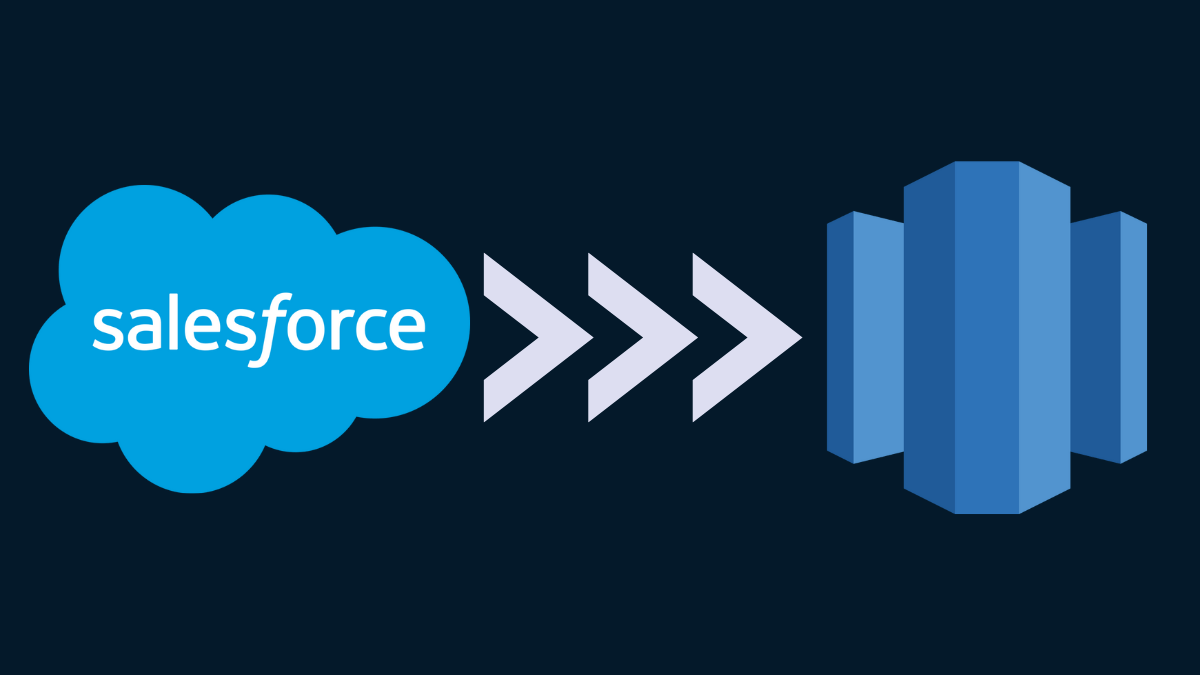
Unlock the Power of Unified Data: Integrating Salesforce Data Cloud with Amazon Redshift via Salesforce Identity Provider

Unlock the Power of Unified Data: Integrating Salesforce Data Cloud with Amazon Redshift via Salesforce Identity Provider

In today’s data-driven landscape, having a holistic view of your customer is paramount. Salesforce Data Cloud offers a powerful platform for unifying customer data from various sources, while Amazon Redshift provides a scalable and high-performance data warehouse for advanced analytics. Integrating these two platforms can unlock significant insights and drive better business decisions.

This blog post will guide you through the process of seamlessly connecting your Salesforce Data Cloud instance with your Amazon Redshift cluster using the Salesforce Identity Provider for secure and streamlined authentication.

Why Integrate Salesforce Data Cloud and Amazon Redshift?

Before diving into the “how,” let’s explore the “why”:

  • Enhanced Analytics: Move unified customer profiles and engagement data from Data Cloud into Redshift for complex querying, advanced segmentation, and predictive modeling.
  • Data Enrichment: Combine rich customer data from Data Cloud with other enterprise data residing in Redshift for a more comprehensive understanding.
  • Scalable Data Warehousing: Leverage Redshift’s scalability and performance to handle large volumes of Data Cloud data for in-depth analysis without impacting your operational systems.
  • Centralized Reporting: Create unified dashboards and reports in your preferred BI tools by accessing consolidated data from both platforms within Redshift.
  • Improved Decision-Making: Gain actionable insights by analyzing a complete view of your customer journey, leading to more informed marketing campaigns, sales strategies, and customer service initiatives.

Leveraging Salesforce Identity Provider for Secure Integration

Using the Salesforce Identity Provider simplifies the authentication process and enhances security. Instead of managing separate credentials, you can leverage your existing Salesforce user identities to grant access to Redshift. This approach offers several benefits:

  • Simplified User Management: Manage user access centrally within your Salesforce organization.
  • Enhanced Security: Enforce your existing Salesforce security policies and multi-factor authentication (MFA) for accessing Redshift data.
  • Streamlined Onboarding and Offboarding: Easily grant or revoke access to Redshift based on Salesforce user roles and permissions.

Step-by-Step Guide to Integration

Here’s a breakdown of the steps involved in integrating Salesforce Data Cloud with Amazon Redshift using the Salesforce Identity Provider:

1. Configure Amazon Redshift for SAML Authentication:

  • Create an IAM Role: In your AWS Management Console, create an IAM role that Redshift will assume to access necessary resources. This role should have appropriate permissions to access your Redshift cluster and potentially other AWS services.
  • Create a SAML Provider: Within IAM, create a SAML provider. You’ll need the metadata URL or XML file from your Salesforce Identity Provider setup (explained in the next step).
  • Map IAM Role to SAML Provider: Establish a trust relationship between the IAM role and the SAML provider. This allows users authenticated by Salesforce to assume the IAM role.
  • Configure Redshift Cluster for SAML: Using the AWS CLI or Redshift Query Editor, associate your Redshift cluster with the created IAM role and SAML provider. You’ll need to specify the ARN of the IAM role and the SAML provider.

2. Configure Salesforce as the Identity Provider:

  • Enable Identity Provider: In your Salesforce Setup, navigate to “Identity Provider” and enable it.
  • Download Metadata: Download the SAML metadata XML file. You’ll need this in the previous step when configuring the SAML provider in AWS IAM.
  • Create a Connected App: Create a new connected app in Salesforce.
    • Basic Information: Provide a name and API name for the connected app.
    • Web (Enable SAML): Enable SAML and configure the following:
      • Entity ID: This will be the identifier for your Redshift cluster (e.g., its endpoint).
      • ACS URL: This is the Assertion Consumer Service URL for your Redshift cluster. You’ll typically find this in the Redshift documentation or configuration settings.
      • Subject Type: Choose how the user’s identity will be represented in the SAML assertion (e.g., Federation ID or Username).
      • Name ID Format: Select the appropriate format (e.g., urn:oasis:names:tc:SAML:1.1:nameid-format:unspecified).
      • Issuer: This should be the Salesforce Identity Provider URL.
      • IdP Certificate: Choose the Salesforce Identity Provider certificate.
  • Manage Profiles/Permission Sets: Grant access to the connected app to the Salesforce users or profiles who need to access Redshift data.

3. Establish the Connection from Salesforce Data Cloud to Amazon Redshift:

  • Navigate to Data Cloud Connections: Within your Salesforce Data Cloud setup, go to “Connections.”
  • Create a New Connection: Click on “New” and choose the “Amazon Redshift” connector.
  • Configure the Connection:
    • Connection Name: Provide a descriptive name for your connection.
    • Authentication Type: Select “Salesforce Identity Provider (SAML).”
    • Redshift Endpoint: Enter the endpoint URL of your Amazon Redshift cluster.
    • Database Name: Specify the name of the Redshift database you want to connect to.
    • SAML Issuer: Enter the Issuer URL of your Salesforce Identity Provider.
    • SAML Subject: Choose the Salesforce field that will be used to identify the user in the SAML assertion (this should match the “Subject Type” you configured in the connected app).
    • IAM Role ARN: Enter the ARN of the IAM role you created in AWS.
  • Test the Connection: Click on the “Test Connection” button to verify that the integration is configured correctly.

4. Utilize the Connection in Data Cloud:

Once the connection is established, you can leverage it within Salesforce Data Cloud for various purposes:

  • Data Streams: Create data streams to ingest data from Redshift into Data Cloud for further unification and analysis.
  • Calculated Insights: Use data from Redshift in your Data Cloud calculated insights and segmentations.
  • Activation Targets: Activate unified customer profiles by exporting segments to Redshift for targeted campaigns or data enrichment within Redshift.

Best Practices and Considerations:

  • Security First: Regularly review and update IAM role permissions and Salesforce connected app access to ensure least privilege.
  • Performance Optimization: Consider data volume and query complexity when designing your integration strategy. Optimize Redshift tables and queries for efficient data transfer and analysis.
  • Error Handling and Monitoring: Implement robust error handling mechanisms and monitor the connection health and data flow between the two platforms.
  • Data Governance: Establish clear data governance policies to ensure data quality, consistency, and compliance across both systems.
  • Regular Testing: Periodically test the integration after any configuration changes or updates to either platform.

Conclusion:

Integrating Salesforce Data Cloud with Amazon Redshift using the Salesforce Identity Provider offers a secure, efficient, and powerful way to unify your customer data and unlock deeper insights. By following the steps outlined in this blog post, you can seamlessly connect these two leading platforms and empower your organization to make more data-driven decisions, ultimately leading to enhanced customer experiences and business growth. Embrace the power of unified data and elevate your analytics capabilities today!

Are you looking for Salesforce consultant in Chicago for your integration ? Contact us